
Labelcall - Business Caller Id Chrome 插件, crx 扩展下载
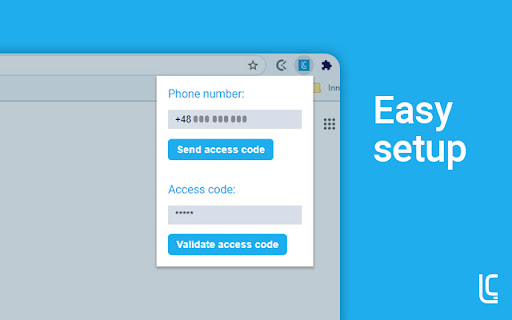
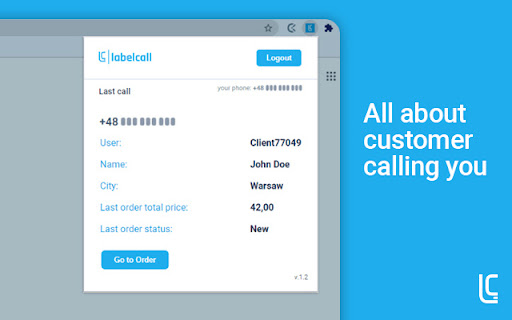
Chrome extension integrated with Labelcall app that shows caller data in the notifications.
Chrome extension integrated with Labelcall app that shows caller data in the notifications.
Labelcall chrome plugin
Labelcall is Business Caller ID app that displays information about a customer calling you. Instead of answering anonymous call, you can greet your customer with his name and offer him exactly what he is looking for, before he asks a first question.
A noteworthy extension of our application is the Google Chrome plugin, thanks to which, along with the incoming connection, information about the customer’s status is displayed on the computer. The plugin allows you to go to order details efficiently, displays key information that allows you to shorten the after-sales service time. You only need a few clicks to connect your data with Labelcall and have all the necessary clients’ details.
| 分类 | 📝工作流程与规划 |
| 插件标识 | ppdieijdkeanilddpijdafbaeldbcodh |
| 平台 | Chrome |
| 评分 |
☆☆☆☆☆
|
| 评分人数 | |
| 插件主页 | https://chromewebstore.google.com/detail/labelcall-business-caller/ppdieijdkeanilddpijdafbaeldbcodh |
| 版本号 | 25.2.3.0 |
| 大小 | 170KiB |
| 官网下载次数 | 86 |
| 下载地址 | |
| 更新时间 | 2021-06-02 00:00:00 |
CRX扩展文件安装方法
第1步: 打开Chrome浏览器的扩展程序
第2步:
在地址栏输入: chrome://extensions/
第3步: 开启右上角的【开发者模式】
第4步: 重启Chrome浏览器 (重要操作)
第5步: 重新打开扩展程序管理界面
第6步: 将下载的crx文件直接拖入页面完成安装
注意:请确保使用最新版本的Chrome浏览器