
Clean & Refresh Chrome 插件, crx 扩展下载
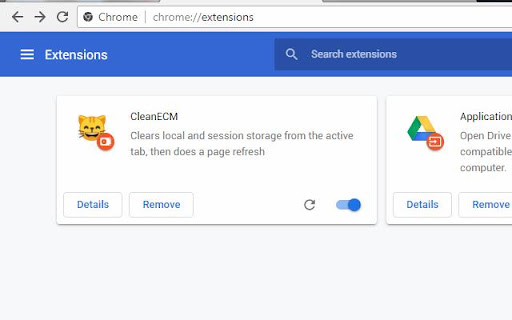
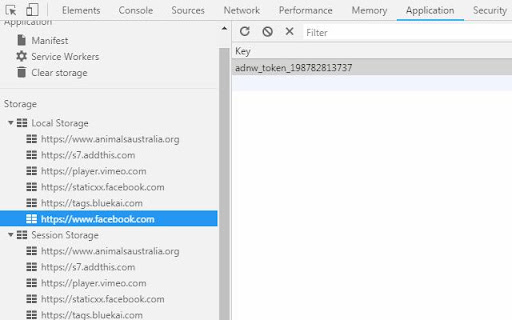
Cleans local and session storage from the active tab, then Refreshes the page
For a quick and clean refresh of a tab. It keeps all cookies, but removes all local and session storage created by the website. It then refreshes the page
It works out of the box, but you can adjust some settings, if you wish:
Right-click on the extension icon (the cat!) and select which storage you want to clean (default is both local and session, but you can choose either)
Also, by default, it will refresh the page. But you can set it to take you to that page, like url bookmark! Change the drop down to "use the url below" and then type in the full url you want that button to take you (including http:// etc)
However, as storage is loaded on the memory when you actually load the site, this will not work if you are in a totally different domain (ie google.com). It will redirect to your site, but your storage will not be erase. But no biggie! Just press the button again and now the storage will be erased 4Real :)
| 分类 | 💻开发者工具 |
| 插件标识 | ppgjgnmplfpefcldlapcedhmgbnhamkd |
| 平台 | Chrome |
| 评分 |
☆☆☆☆☆
|
| 评分人数 | |
| 插件主页 | https://chromewebstore.google.com/detail/clean-refresh/ppgjgnmplfpefcldlapcedhmgbnhamkd |
| 版本号 | 1.0.4 |
| 大小 | 19.1KiB |
| 官网下载次数 | 86 |
| 下载地址 | |
| 更新时间 | 2023-07-14 00:00:00 |
CRX扩展文件安装方法
第1步: 打开Chrome浏览器的扩展程序
第2步:
在地址栏输入: chrome://extensions/
第3步: 开启右上角的【开发者模式】
第4步: 重启Chrome浏览器 (重要操作)
第5步: 重新打开扩展程序管理界面
第6步: 将下载的crx文件直接拖入页面完成安装
注意:请确保使用最新版本的Chrome浏览器