
LightNote for Chrome Chrome 插件, crx 扩展下载
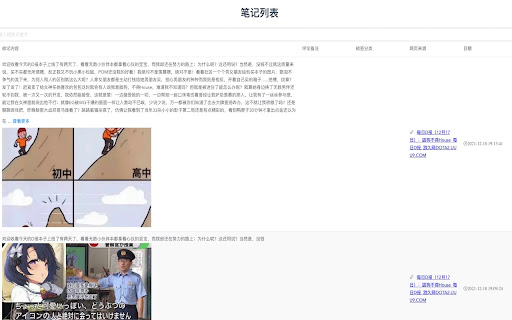
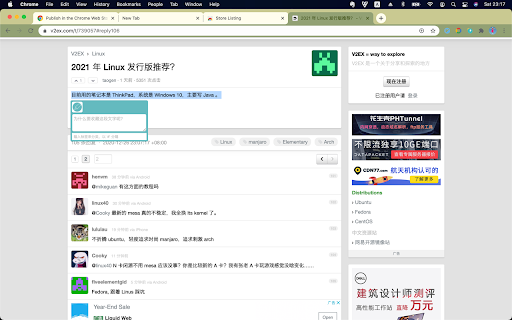
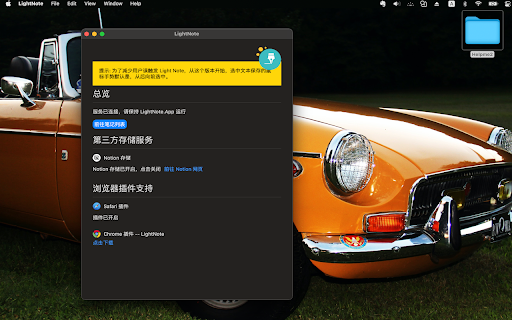
LightNote is a web cliper. It can help you to collect text segment and images on web page.
What's New:
更新:
Add a new shortcut `Shift + Option + D` to collect them when the text segments are selected from left to right.
从左向右选中文本后,可以按`Shift + Option + D`快速收集文字
New Features recently
- OCR image or frame in video in play with context menus supports
- You can review history note in current page context
- You can choose your favorite color to highlight selected text
- Be able to save text segments in PDF file
LightNote is a web clipper, thats helps you to mark content, collect images, add tags and categories. The materials you noted will save in iCloud Drive, which almost will never be lost in the future. You notes will never be passed to any third-party service——they are safe.
For version 1.2.1 and onwards, you can utilize your fav all-in-one-workplace Notion as you backend Cloud Service.
Your last mission is to keep the LightNote running. Any suggestions and questions may send to me with mail to xiangheka at 163.com
Tips:(Only available on macOS 11 above, and work with LightNote
只在 macOS 11 + 上工作,需要在 App Store下载最新 LightNote 软件
| 分类 | 📝工作流程与规划 |
| 插件标识 | ppimkcpjclcggcendejddodfbpjakogc |
| 平台 | Chrome |
| 评分 |
☆☆☆☆☆
|
| 评分人数 | |
| 插件主页 | https://chromewebstore.google.com/detail/lightnote-for-chrome/ppimkcpjclcggcendejddodfbpjakogc |
| 版本号 | 5.5.82 |
| 大小 | 268KiB |
| 官网下载次数 | 95 |
| 下载地址 | |
| 更新时间 | 2023-07-25 00:00:00 |
CRX扩展文件安装方法
第1步: 打开Chrome浏览器的扩展程序
第2步:
在地址栏输入: chrome://extensions/
第3步: 开启右上角的【开发者模式】
第4步: 重启Chrome浏览器 (重要操作)
第5步: 重新打开扩展程序管理界面
第6步: 将下载的crx文件直接拖入页面完成安装
注意:请确保使用最新版本的Chrome浏览器