Web Video Speed Controller Chrome 插件, crx 扩展下载
CRX扩展文件安装方法
第1步: 打开Chrome浏览器的扩展程序
第2步:
在地址栏输入: chrome://extensions/
第3步: 开启右上角的【开发者模式】
第4步: 重启Chrome浏览器 (重要操作)
第5步: 重新打开扩展程序管理界面
第6步: 将下载的crx文件直接拖入页面完成安装
注意:请确保使用最新版本的Chrome浏览器
同类插件推荐

HTML5 Video Speed Controls
Speed controller for all video players. Simply spe

Super Video Speed Controller with Shortcuts
Speed up or slow down HTML5 videos with keyboard s

Video Speed Controller Plus
Introducing Video Speed Controller Plus for Chrome

Video Speed Controls
Speed controller for all video players. Simply spe

Hold H Video Speed Controller
Hold H to change video speed. Release to restore s

Video Playback Speed (2x-4x-16x)
Base Level ExtensionThis is a simple playback spee

Web Video Speed Controller
Effortlessly control any online video speed. Easil

Seudev's Video Speed Controller
A simple and customizable Google Chrome Extension

Super 视频加速
Adjust playback speed for any video. 视频加速 for your

Video Speed and Navigation Controller
Control video playback speed and navigation on web

Speed Control
Extension to control video speed rateThe Video Pla
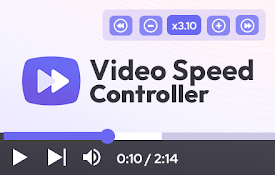
Video Speed Controller for HTML videos
Video speed control for all HTML5 video players. S

視訊速度控制器 - 視訊管理器
HTML5 的視頻速度控制。 通過視頻播放和視頻控制、視頻控制器管理視頻速度。 視頻速度播放視頻速度