Gmail™ 的反向对话 Chrome 插件, crx 扩展下载
CRX扩展文件安装方法
第1步: 打开Chrome浏览器的扩展程序
第2步:
在地址栏输入: chrome://extensions/
第3步: 开启右上角的【开发者模式】
第4步: 重启Chrome浏览器 (重要操作)
第5步: 重新打开扩展程序管理界面
第6步: 将下载的crx文件直接拖入页面完成安装
注意:请确保使用最新版本的Chrome浏览器
同类插件推荐
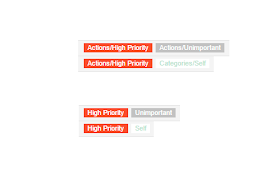
Short Gmail Labels
Shorten your Gmail labels so parent labels are not

Auto Expander for Gmail™
Automatically expands too long mails in Gmail™.Do

Gmail 'Expand all' keyboard shortcut
Press Alt+A to expand or collapse a Gmail threadPr

Gmail Auto Pop Out Reply Forward Show CC BCC
In Gmail, auto pop out reply, reply all, forward,
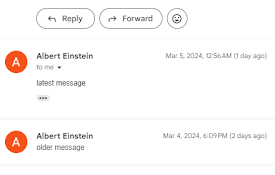
Gmail Reverse Threads - Newest First
Reply to and show latest emails on top of Gmail.By

Gmail Conversation Reversal
反转Gmail主题中电子邮件的显示,在顶部显示最新的电子邮件。By default, email t

Gmail - Reply at the TOP
Move the reply/compose box to the top of conversat

Gmail Email Thread Reverse
A quick, easy, one-click way to reverse the messag

Gmail™ 的反向对话
此浏览器扩展可在对话视图中反转电子邮件。想要在 Gmail 中反转您的电子邮件线程,以便电子邮件线程

Gmail reverse conversation
The addon which reverse emails in conversation vie

Conversation Thread Reversal for Gmail™ by cloudHQ
How to reverse your Gmail conversation threads to

Gmail Tabs by cloudHQ
将 Gmail 标签或 Gmail 过滤器设置为标签Google automatically org

Copilot for Gmail™ by cloudHQ
Mini CRM for your GmailCopilot for Gmail™ is a min