Lumitabs Chrome 插件, crx 扩展下载
CRX扩展文件安装方法
第1步: 打开Chrome浏览器的扩展程序
第2步:
在地址栏输入: chrome://extensions/
第3步: 开启右上角的【开发者模式】
第4步: 重启Chrome浏览器 (重要操作)
第5步: 重新打开扩展程序管理界面
第6步: 将下载的crx文件直接拖入页面完成安装
注意:请确保使用最新版本的Chrome浏览器
同类插件推荐

Lumitabs
This extension lets you easily control the current

Eye Strain Relief Pro: Smart Background & Overlay Color Control
Smart Eye Protection that changes the background c

Transparent Tint
Add a transparent tint over the entire content are

Brightness/Color Changer
Brightness/Color Changerサイト上の特定の色と明度を変更できる拡張機能です。

Control Tab Brightness
Control Brightness Of Each TabThe extension allows

Dark Switch
Dark Mode, read at night. Bluelight filter for eve

Dim Visual Media
Watch your favourite Netflix show, Twitch Stream,

屏幕调暗
使用屏幕调暗作为蓝光滤镜或亮度控制。调暗屏幕可以帮助您避免数字眼部疲劳。您是否希望提升数字体验和眼睛

Dim the Internet - Turn down the brightness.
Simply drag a slider to dim every single website.S

Sites Dimmer - sharp brightness reduction
Extension automatically dims bright sites (which a

Scura mode
Turn you browser to the dark modeThis is the night

Dark Read
Ease eye strain. Dark Read is a simple Chrome exte
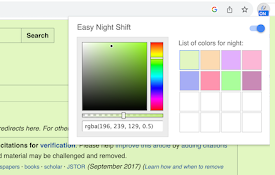
Easy Night Shift
Adjust screen brightness to a protective color fro