Firma con token GDEBA Chrome 插件, crx 扩展下载
CRX扩展文件安装方法
第1步: 打开Chrome浏览器的扩展程序
第2步:
在地址栏输入: chrome://extensions/
第3步: 开启右上角的【开发者模式】
第4步: 重启Chrome浏览器 (重要操作)
第5步: 重新打开扩展程序管理界面
第6步: 将下载的crx文件直接拖入页面完成安装
注意:请确保使用最新版本的Chrome浏览器
同类插件推荐

Firma Notificaciones Electrónicas
Firma Notificaciones ElectrónicasEsta extensión te

Firma con token
Extensión que permite firmar digitalmente con toke

Firma con token GDEBA
Extensión que permite firmar digitalmente con toke

Firma con token
Extensión que permite firmar digitalmente con toke

Agile Extension Argentina
Agile Extension ArgentinaExtensión Chrome que perm

roam-sidebyside-pro
roam theme:Side-by-side page view roamVersion 0.8.
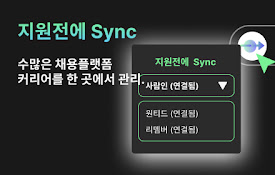
지원전에 Sync
채용 플랫폼 통합 로그인 및 관리? 채용 플랫폼 이력서 관리, 이제 한 번에 해결하세요!

getsBee
highlight sentences and shareHighlight Sentences a

man city vs liverpool
Calculate the predicted score when watching live f

ToDo List : explode your productiviy
ToDo List : explode your productiviyMeet your new

YouTube Latest Default
Sets 'Latest' as the default sorting optio