Bookmark Clock v2 Chrome 插件, crx 扩展下载
CRX扩展文件安装方法
第1步: 打开Chrome浏览器的扩展程序
第2步:
在地址栏输入: chrome://extensions/
第3步: 开启右上角的【开发者模式】
第4步: 重启Chrome浏览器 (重要操作)
第5步: 重新打开扩展程序管理界面
第6步: 将下载的crx文件直接拖入页面完成安装
注意:请确保使用最新版本的Chrome浏览器
同类插件推荐

Bookmark World Clock
Creates clocks from user selectable timezones in t

™时钟
这个简单的扩展名在网站地址框旁边放置了一个时尚的小时钟。这个简单的扩展名在网站地址框c# datet
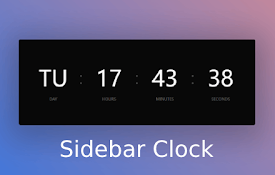
Sidebar Clock
A minimalist sidebar clock extension featuring a c

Clock for Google Chrome™
An analogue clock in the toolbar!This very simple

HMS Clock
Hour-Minute-Second, Digital ClockOne-click to view

Clock on Top
A Clock that displays on top of each websiteEver g

Toolbar Clock
Stylish analog clock in your browser toolbar.Toolb

Bookmark Clock v2
Adds a bookmark with the current timeA great way t
Date Today for Google Chrome
今天日期使用 Date Today,保持井井有条,永远不会忘记时间,它是在工具栏上显示模拟时钟的完美

TinyToolbarClock
This extension shows the time and date in the tool

Clock
Simple clockSimple clock extension showing a clock
Minimalist clock
Display the time and temperature in a beautiful fr
Time Icon
View the current time from the chrome extension ba