Remember subtitle settings for YouTube™ Chrome 插件, crx 扩展下载
CRX扩展文件安装方法
第1步: 打开Chrome浏览器的扩展程序
第2步:
在地址栏输入: chrome://extensions/
第3步: 开启右上角的【开发者模式】
第4步: 重启Chrome浏览器 (重要操作)
第5步: 重新打开扩展程序管理界面
第6步: 将下载的crx文件直接拖入页面完成安装
注意:请确保使用最新版本的Chrome浏览器
同类插件推荐

SimIntpr - 翻译并读出 YouTube 字幕
翻译 YouTube 视频字幕并读出。 就像 YouTube 虚拟同声传译员一样。SimIntpr
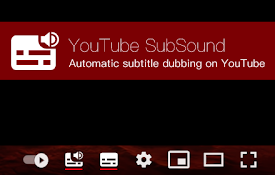
YouTube SubSound
Automatic subtitle dubbing on YouTube.Browser exte

Remember subtitle settings for YouTube™
Set and forget. No need to re-select your subtitle

Subtitle Google Translate (Lynda,LinkedIn,..)
Video Subtitle Google Translate for Popular Websit
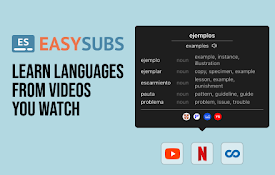
EasySubs – Learn languages by watching films and series
Customizable subtitles and a popup dictionary to m

Subtitles for Youtube
使用此扩展程序可将用户可用的字幕添加到任何YouTube视频中YouTube的字幕 是否想为You

Multi Subsitles for Youtube
显示任意数量的字幕。不同语言,翻译,自动生成。不依赖于第三方服务器。Watch with as ma

Search by Subtitles/CC for Youtube™
Search for videos on Youtube™ by Subtitles/CC in a
SubTrans - 通用字幕翻译套件
多个站点的通用字幕翻译器。显示双语字幕。支持的站点正在积极增加。? SubTrans 是一个通用的字

YouTube subtitles viewer
An extension to view, copy and search subtitles on

Find and replace for YouTube Subtitles
Fix misspelled words in YouTube transcripts with a

Youtube caption indicator
Ever wondered if a YouTube video is subtitled in y

YouTube™ 双字幕
YouTube 双语字幕,同时显示两种语言字幕,支持自定义样式。YouTube 双语字幕,同时显示两