Let Me Pin It! Chrome 插件, crx 扩展下载
CRX扩展文件安装方法
第1步: 打开Chrome浏览器的扩展程序
第2步:
在地址栏输入: chrome://extensions/
第3步: 开启右上角的【开发者模式】
第4步: 重启Chrome浏览器 (重要操作)
第5步: 重新打开扩展程序管理界面
第6步: 将下载的crx文件直接拖入页面完成安装
注意:请确保使用最新版本的Chrome浏览器
同类插件推荐

Let Me Pin It!
Scouring the web for resources and don't want

Pins - Once pin, never lost
Pins will help you take notes on the fly and easil

Bookmarks Sync - Sync & Backup bookmarks
Synchronize bookmarks between different browsers a

Show/Hide Google Maps Containers
Show/Hide all additional containers in Google Maps

Pins Peep ?
Peep Pins on PinterestPins Peep gives you instant,
Tab+
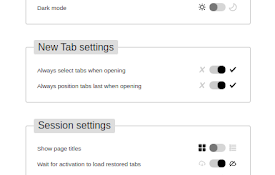
Bring new tabs to front and in last position, allo

Notes
A clean and simple browser extension for managing

QuickPad: fast Markdown notepad
An in-browser Markdown notepad. Optimize for writi

SuperReminder - Reminder of websites
Never lose track of a website. Easily create custo

Always Pin - Tabs Manager
Manage pinned tabsAlways Pin - Tabs Manager Manag

GitHub File Diff
View diffs of files and directories on GitHub.To u

Agency Toolchest
The Agency Toolchest Chrome Extension is used to s

''Yarn'' on the Node Package Manager
The extension replaces ''npm i'' w