SQL 格式化程序 Chrome 插件, crx 扩展下载
CRX扩展文件安装方法
第1步: 打开Chrome浏览器的扩展程序
第2步:
在地址栏输入: chrome://extensions/
第3步: 开启右上角的【开发者模式】
第4步: 重启Chrome浏览器 (重要操作)
第5步: 重新打开扩展程序管理界面
第6步: 将下载的crx文件直接拖入页面完成安装
注意:请确保使用最新版本的Chrome浏览器
同类插件推荐

AI2sql - the Chrome extension plugin
AI2sql is an AI-powered SQL generator that lets yo

PLSQL Formatter for APEX
For APEX developers to add the Format Document com
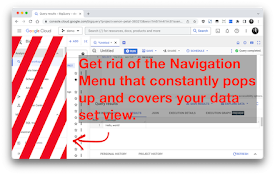
BigQuery Toolbox
Improves the BigQuery UI: Toggle the different sid

SQL Formatter
Formats your SQL for easier reading, code review,

SQL查询格式化程序
使用这个SQL查询格式化程序来提高可读性!使用先进的规则在线美化各种方言的复杂SQL代码。我们的SQ

SQL Format
A chrome plugin to format your SQL codeFeatures:

SQL Viewer
View SQL files/content formatted in the browserSQL
SQLite Editor and Compiler
Run SQL code for immediate preview of tables, colu

适用于Google Chrome的SQLite Manager。
同时查看或编辑一个或多个SQLite数据库。适用于Google Chrome™的SQLite Man
SQL 格式化程序
在文本框中格式化 SQL 或从文件中读取/格式化想要格式化您的 SQL 文件以使其更具可读性? 立

CodeBeautify
All Developer Friendly tools at your finger tips s

SQL Parser
SQL Chrome extension.SQL Parser is a handy Chrome
JSON-handle
It's a browser and editor for JSON document.Yo