Edit with Sublime Text™ Chrome 插件, crx 扩展下载
CRX扩展文件安装方法
第1步: 打开Chrome浏览器的扩展程序
第2步:
在地址栏输入: chrome://extensions/
第3步: 开启右上角的【开发者模式】
第4步: 重启Chrome浏览器 (重要操作)
第5步: 重新打开扩展程序管理界面
第6步: 将下载的crx文件直接拖入页面完成安装
注意:请确保使用最新版本的Chrome浏览器
同类插件推荐

JSON live editor
Live editor for JSON documentsLittle online and of
使用记事本++打开
在Notepad ++中轻松打开所需的链接使用记事本++打开文本文件和HTML文件 是否要使用您喜

Edit with Notepad++
Edit content of text area elements, or inner and o

Sublime-like tabbing
This extension adds a sublime-like ctrl-p to quick

OpenInBrowser
Prevents Duplicate Tabs, while also refreshing the

Edit with Sublime Text™
Live editing text and HTML content of the page wit
Visual Studio Code Extension Downloader
Provides download links for Visual Studio Code ext

Python Shell
Python shell for your browser.A Python shell for C

html 编辑器 网页 WebStudio
WebStudio, 一个 html 编辑器在线创建和编辑任何网页使用 web 浏览器。WebStu

HTML Editor for Gmail by cloudHQ
Gmail™ 的免费 HTML 编辑器 - 直接从 Gmail 编码 HTML 电子邮件Do you

Code Plunker (Live HTML CSS Editor)
Test your HTML,CSS,JS and Get the program output i
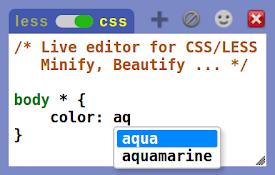
Live editor for CSS, Less & Sass - Magic CSS
Live preview of CSS/Less/Sass code changes. Auto-s

Text Editor
A free, highly customizable text and code editor e