uFinance: Upgraded Y Finance Experience Chrome 插件, crx 扩展下载
CRX扩展文件安装方法
第1步: 打开Chrome浏览器的扩展程序
第2步:
在地址栏输入: chrome://extensions/
第3步: 开启右上角的【开发者模式】
第4步: 重启Chrome浏览器 (重要操作)
第5步: 重新打开扩展程序管理界面
第6步: 将下载的crx文件直接拖入页面完成安装
注意:请确保使用最新版本的Chrome浏览器
同类插件推荐

Earnings Week
EarningsAhead's week planner for Chrome browse
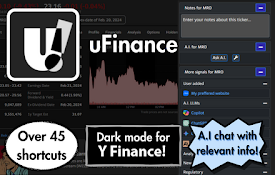
uFinance: Upgraded Y Finance Experience
Supercharge your Y Finance with dark mode, A.I. an

AIME - The ChatGPT in finance area
Aime can analyze stocks, summarize news, and provi

Finance Pro
Effortlessly manage your investment portfolio with

Yahoo Finance Option Open Interest Extension
An extension that plugs into Yahoo Finance Option
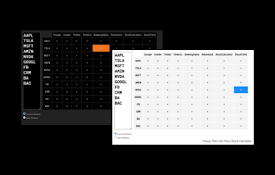
Trader Table
Trader Table is a very handy tool to let you check

PromptSync
Ask ChatGPT, Bard AI, and Bing Chat with one singl

DIG This Deal
Compare prices and find the best deals on new and

Loop8 Privacy Manager
Browser extension for Loop8 Privacy Manager.Loop8

Saverd Recipe Clipper
Save recipes from hundreds of recipe sites right t

The Big Gift List
Easily add items to your 'The Big Gift List

Stop It Grandpa
Prevents grandpa from lookin' at his favorite

Tanuki Utilities
Provide useful utilities for GitLab users.Title ch