View Image Properties Chrome 插件, crx 扩展下载
CRX扩展文件安装方法
第1步: 打开Chrome浏览器的扩展程序
第2步:
在地址栏输入: chrome://extensions/
第3步: 开启右上角的【开发者模式】
第4步: 重启Chrome浏览器 (重要操作)
第5步: 重新打开扩展程序管理界面
第6步: 将下载的crx文件直接拖入页面完成安装
注意:请确保使用最新版本的Chrome浏览器
同类插件推荐

Copy As Plain Text
Copy selected text as plain text, with an option t

OG Image | Check Page Share Info
Get a webpage's og:image and other share info

Copy Image Link on Hover
*Image URL Copier - Quick and Easy Image Link Copi

Save Image As PNG/JPG/WebP
Convert images to PNG, JPG, or WebP format with ea

Orca SEO - Your All-in-One SEO Extension
Optimize your website with Orca SEO. Analyze SEO,

Image Dimensions Detector
Detects all images on a website and displays their

View Image Properties
Right-click on any image to view its properties in

Search Result Previews
在每个搜索结果旁边显示页面缩略图 + 网站图标ℹ NOTE: this is an official
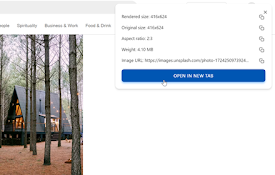
Get Image Info
The extension displays the webpage image informati

Image info
Display image info: width, height, sizeShow image
Image-Details
Adds a context menu entry to open a popup window w

Image info
Select any image on a page, including background i

View Image Info (properties)
通过右键菜单获取图片的尺寸,URL,文件大小,文件类型等信息@updated on 2023/3/1