GitLab Open in Editor Chrome 插件, crx 扩展下载
CRX扩展文件安装方法
第1步: 打开Chrome浏览器的扩展程序
第2步:
在地址栏输入: chrome://extensions/
第3步: 开启右上角的【开发者模式】
第4步: 重启Chrome浏览器 (重要操作)
第5步: 重新打开扩展程序管理界面
第6步: 将下载的crx文件直接拖入页面完成安装
注意:请确保使用最新版本的Chrome浏览器
同类插件推荐

Gitlab commit creator
Automatically fills commit message and description

GitLab Dashboard
This extension shows a dashboard for all projects

GitLab Open in Editor
Add button to GitLab files/diffs to open them in y

React Repositories New Tab
A New Tab extension that shows you popular and new
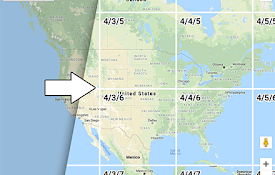
Google Maps Tile Inspector
Adds Z/X/Y labels to Google Maps tiles for quick a

WhatsLeads
Enhance WhatsApp Web: Blur, Export & Send Mess

Fantasy Hockey Assistant
See your team's expected performance in your n

Card-counter for Trello
Show card count in your Trello lanesExtension for

PulseHax
Hacking pulsus has never been so easyA collection

GrabzIt Web Monitor
Monitor changes on part of web pages or a whole we

Jira View
Improves Jira Cloud (*.atlassian.net) views to mak

Gympass ScreenSaver
Gympass, the ultimate chrome extension that keeps

GitLab Approvals
Displays the approvals for a given MR within the M