用Bluestacks打开 Chrome 插件, crx 扩展下载
CRX扩展文件安装方法
第1步: 打开Chrome浏览器的扩展程序
第2步:
在地址栏输入: chrome://extensions/
第3步: 开启右上角的【开发者模式】
第4步: 重启Chrome浏览器 (重要操作)
第5步: 重新打开扩展程序管理界面
第6步: 将下载的crx文件直接拖入页面完成安装
注意:请确保使用最新版本的Chrome浏览器
同类插件推荐
安卓模拟器MyAndroid
运行 Android 模拟器以及您更喜欢的 Android 游戏和应用程序。此扩展允许用户使用 An

ApkOnline Android 模拟器的 APK 管理器
允许处理在 ApkOnline android 模拟器平台上运行的 APK 文件的管理器此扩展扫描浏
![DraStic DS Emulator Apk PC [Guide]](https://www.chajianmi.com/images/VWKHq9PT3BcxeLZyzPdDbQKxuBzpwxjPKrlEh8ApsENVaXS1jn75QEZhDNz8vGeh2vgKRLCO8rSDYGl0RQRwYwpDiOA=s60)
DraStic DS Emulator Apk PC [Guide]
DraStic DS Emulator Apk is available in the chrome

Cloud Gaming Lister
Find your games match on cloud gaming platformsFea

Toolbox for Google Play Store™
Enhances the Google Play Store™ with various featu

Apache Cordova 在线 CordovaIDE
使用 Apache Cordova IDE 通过 Android 模拟器在线开发 Android 应
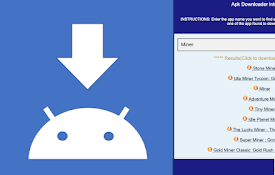
适用于 Android 的 Apk 下载器管理器
APK 下载器,用于搜索和下载与 ApkOnline 集成的 Android APK。此扩展程序是一

AIO APK Downloader
Best APK Downloader for Chrome (Download APK, OBB
用Bluestacks打开
在BlueStacks中轻松打开所需的链接立即使用Bluestacks Emulator打开您的AP

Play Open Beta Finder
Finds if the Google Play app has open beta testing

Linux Mint 在线服务器
免费托管OnWorks,运行Linux Mint在线服务器此扩展程序提供OnWorks Linux

Android Developer Toolbox
A quick access toolbox of Android developer tools,
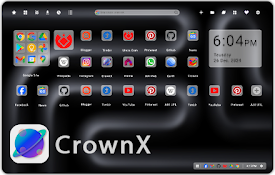
CrownX NewTab Android like home page
CrownX make your old chrome start home page to mor