Pesticide for Chrome - The Complete Web Development Booster Chrome 插件, crx 扩展下载
CRX扩展文件安装方法
第1步: 打开Chrome浏览器的扩展程序
第2步:
在地址栏输入: chrome://extensions/
第3步: 开启右上角的【开发者模式】
第4步: 重启Chrome浏览器 (重要操作)
第5步: 重新打开扩展程序管理界面
第6步: 将下载的crx文件直接拖入页面完成安装
注意:请确保使用最新版本的Chrome浏览器
同类插件推荐

CSS Debug with Pesticide
Toggle outlines on all elements to help debug CSSC
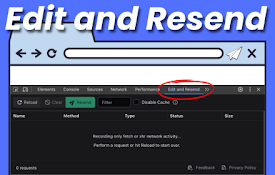
编辑并重新发送:Chrome DevTools 中的 Ajax 请求调试器
使用新标签页增强 Chrome DevTools。 编辑并重新发送 fetch() / XHR 请求
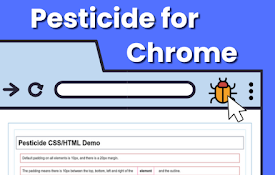
Pesticide for Chrome - The Complete Web Development Booster
var AF_initDataKeys = ["ds:0","ds:1"]; var AF_data

Debug CSS
When enabled adds outline to all elements on the p

JSON Viewer Pro
A completely free extension to visualise JSON resp

颜色选择器和滴管工具
使用滴管从网页中选择颜色。颜色选择器,渐变生成器,色彩调色板。快速获取HEX,RGB颜色。顏色選擇器

适用于Google Chrome™的CSS Viewer
自由!快速简单的CSS属性查看器。是否想在网页上查看按钮/某些HTML元素的CSS? 安装此扩展程

Highlight Focus
This chrome extension will help you to highlight t

Pesticide for Chrome
This extension inserts the Pesticide CSS into the

CSS inject
Very simple chrome extension to inject CSS into we

Responsive Viewer
Show multiple screens once, Responsive design test

CSS Peeper
Extract CSS and build beautiful styleguides.? No m

daily.dev | The homepage developers deserve
Get one personalized feed for all the knowledge yo