Speak to Lichess Chrome 插件, crx 扩展下载
CRX扩展文件安装方法
第1步: 打开Chrome浏览器的扩展程序
第2步:
在地址栏输入: chrome://extensions/
第3步: 开启右上角的【开发者模式】
第4步: 重启Chrome浏览器 (重要操作)
第5步: 重新打开扩展程序管理界面
第6步: 将下载的crx文件直接拖入页面完成安装
注意:请确保使用最新版本的Chrome浏览器
同类插件推荐

Speak to Lichess
Use voice control to play Lichess games!# Speak to

Lichess coord helper
Overlay co-ordinates on each square on lichess.com

Lichess Text To Speech
Uses text to speech to pronounce moves played on L

Chess.com Voice Commentary
Hear chess moves and annotation spoken as they are
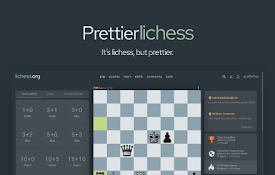
Prettier Lichess
Lichess, but prettier.Prettier Lichess takes the w

Lichess Unrated
Got rating anxiety? Me too. Rating systems do a gr

dmitlichess
Adds top-level grandmaster commentary to lichess.o

LichessARC
Allows accepting a random challenge on Lichess.org
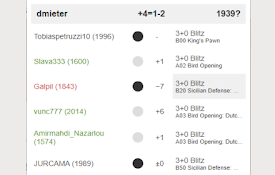
Lichess Opponent Form
This extension shows live performance, legend and

LiTags
LiTags enables you to assign tags to players on li

Chess.com Voice Input
Enable square clicks on chess.com via speech recog

Chess.com Voice Commentary (improved)
Hear chess moves and annotation spoken as they are

Chess.com Analysis at Lichess
Opens PGN of a game from chess.com or chessgames.c