HTML5 Video Keyboard Shortcuts Chrome 插件, crx 扩展下载
CRX扩展文件安装方法
第1步: 打开Chrome浏览器的扩展程序
第2步:
在地址栏输入: chrome://extensions/
第3步: 开启右上角的【开发者模式】
第4步: 重启Chrome浏览器 (重要操作)
第5步: 重新打开扩展程序管理界面
第6步: 将下载的crx文件直接拖入页面完成安装
注意:请确保使用最新版本的Chrome浏览器
同类插件推荐

Video Speed Up (HTML5)
Open any video and press key 'S'. EnjoyOnl

Video Play Speed
Easily change the playback speed of videos in your

HTML5 Media Rate Controller
HTML5 Media Rate Controller allows changing video

Flash Player for the Web
Easily play flash content across the web!Flash Pla

HTML5 Video Tag Enhancer
Color Adjustment/10Band EQ/Chorus/Delay/Reverb/Pla

HTML5 media speed controller + subs
Speed controls and subtitles for HTML5 media.Use t

HTML5 Video Keyboard Shortcuts
Add keyboard support to Chrome's native HTML5
East Control
An extension that allows easy control of various m

HTML5 Video Controller
This extension provides additional controls to You
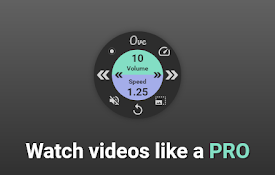
OVC - One Video Control
One Video Control to rule them all - redefining vi

Video Filter
Enhance your video color everywhere you watch! Jus

Video Dominator
Hover over any video, hold the right mouse button

Universal Video Player Controls
This extension lets you quickly seek video playbac