PolitePost.net One-Click Extension Chrome 插件, crx 扩展下载
CRX扩展文件安装方法
第1步: 打开Chrome浏览器的扩展程序
第2步:
在地址栏输入: chrome://extensions/
第3步: 开启右上角的【开发者模式】
第4步: 重启Chrome浏览器 (重要操作)
第5步: 重新打开扩展程序管理界面
第6步: 将下载的crx文件直接拖入页面完成安装
注意:请确保使用最新版本的Chrome浏览器
同类插件推荐
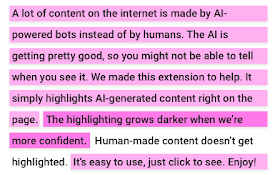
BladeRunner.AI
Browser plug-in highlights AI-generated text direc

ChatGPT Chrome Extension
Use ChatGPT via Chrome ExtensionChrome Extension t

PolitePost.net One-Click Extension
Rewriting your emails with AI to be professionalNe

25 Super Reply
Reply to any email in 1 clickReply to any email in

AI Browser Assistant
OpenAI powered AssistantAre you tired of wasting t

Ellie: Your Professional AI Email Assistant
Ellie uses the context of the email thread to repl

Type-in | ChatGPT email assistant | GPT-3
Type-in is a gmail plugin generates and replies to

Addy AI - ChatGPT Email Assistant
Write entire emails 10x faster using ChatGPT AI (W

TextGPT - Smarter Text Input by OpenAI
TextGPT: Your Virtual Co-Pilot for Smarter Text In

GPT3 Accessible Tables
GPT3 Accessible Tables is an extension that uses O

ELIV - Explain Like I'm 5
AI powered assistant to explain. Highlight text; g

CrowdWise
CrowdWise shows you discussions (from HN/Reddit) a

AI Email Response Generator - superReply
Let superReply handle the hard work for you with i