Smart Tomato! Chrome 插件, crx 扩展下载
CRX扩展文件安装方法
第1步: 打开Chrome浏览器的扩展程序
第2步:
在地址栏输入: chrome://extensions/
第3步: 开启右上角的【开发者模式】
第4步: 重启Chrome浏览器 (重要操作)
第5步: 重新打开扩展程序管理界面
第6步: 将下载的crx文件直接拖入页面完成安装
注意:请确保使用最新版本的Chrome浏览器
同类插件推荐

hack-timer
A simple pomodoro timer to improve productivityシンプ

Pomodoro it
Task management with Pomodoro TechniqueLet's t

Tomato Clock
A simple browser extension for managing your produ

Smart Tomato!
A time management tool that helps you balance your

Tomato timer
the extension that help you focusWelcome to the Po
TomatoTomato
A Pomodoro/Focus timer extension that blocks distr
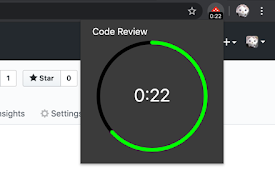
Pomodoro Edit
Notification for Pomodoro EditYou can run Pomodoro

PomoTimer
A seriously minimalistic Pomodoro timerThe Pomodor

Simple Pomodoro Timer
A simple Pomodoro timer.Click the icon to set a 25

Pomodoro Timer
Simple pomodoro timerThe Pomodoro Technique is a t

Pomodora
Pomodora is an online pomodoro timer tool that hel

Pomodoro Timer
Pomodoro Timer to help you focusThe Pomodoro Techn

Yellow Tomato — Pomodoro Timer & Site Blocker
A simple timer for the Pomodoro technique that all