鼠标手势 Chrome 插件, crx 扩展下载
CRX扩展文件安装方法
第1步: 打开Chrome浏览器的扩展程序
第2步:
在地址栏输入: chrome://extensions/
第3步: 开启右上角的【开发者模式】
第4步: 重启Chrome浏览器 (重要操作)
第5步: 重新打开扩展程序管理界面
第6步: 将下载的crx文件直接拖入页面完成安装
注意:请确保使用最新版本的Chrome浏览器
同类插件推荐
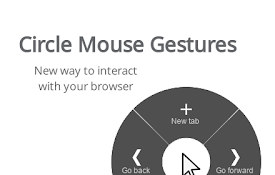
Circle Mouse Gestures (pie menu)
Circle menu with actions on right mouse clickThis

마우스 제스처 크롬 확장 프로그램
크롬 브라우저 용 마우스 제스처 확장 프로그램마우스 제스처를 통해 크롬 브라우저를 편리하게

Google Chrome 的超级拖拽
“超级拖拽”功能可让Google Chrome轻松地使用拖放方式轻松搜索和打开链接。超级拖拽是非常酷

simpleGestures
設定画面・使い勝手のシンプルさにこだわったマウスジェスチャの拡張機能です。シンプルなマウスジェスチャ

Mouse Gestures crx
Mouse Gestures enables faster web browsing with mo

crxMouse Chrome™ 手势
原名:Gestures for Chrome(TM)汉化版.方便,快捷,充分发掘鼠标的所有操作.功能

Tab Wheel Scroll
Scroll tabs with alt + mouse wheel OR right click

超级拖拽
超级拖拽,附带8个最常用鼠标手势。超级拖拽加上 8 个最常用的鼠标手势,支持鼠标左键,适用于 Chr

Chrome Mouse Gesture
Use mouse gesture in chrome browser.鼠标手势扩展用法: 在网页

鼠标手势
用鼠標動作更快速簡單地控制你的瀏覽器。默认设置 ↑ :新建标签页 ↓ :关闭当前标签页 → :切换

Mouse Gesture and Wheel Action
Mouse gestures, right-click + wheel and rocker ges

Mouse Gestures - Power Mouse X
通过手势、组合、快速搜索、拖动选项和下一页预测来增强鼠标功能。为您的鼠标按钮增添更多的功能! #

Our Mouse Gesture
This is Mouse Gesture Extension. This has 27 gestu