Google Docs New Chrome 插件, crx 扩展下载
CRX扩展文件安装方法
第1步: 打开Chrome浏览器的扩展程序
第2步:
在地址栏输入: chrome://extensions/
第3步: 开启右上角的【开发者模式】
第4步: 重启Chrome浏览器 (重要操作)
第5步: 重新打开扩展程序管理界面
第6步: 将下载的crx文件直接拖入页面完成安装
注意:请确保使用最新版本的Chrome浏览器
同类插件推荐

快速创建Google Docs™
他的扩展程序允许您一键创建新的Google Documents™,演示文稿,Sheets™,Draw
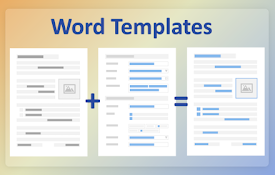
Create fillable forms for Word documents
Create new documents, such as contracts, proposals
Google Quick Create Matrix
Select from multiple accounts to create new Google

Google Docs Quick Create
Create new Documents for Google Drive from your br
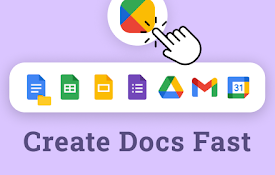
Google Docs New
尝试谷歌文档新功能:轻松创建文档、谷歌表单、电子表格,并直接从浏览器访问云端硬盘。⚡ 使用 Goog
Google Docs SplitView
Open and manage multiple Google Docs, Sheets, and

Dedicated Window For Google Docs
Open Google Docs, Sheets and Slides docs in separa

Editor for Docs, Sheets & Slides
View, edit and select the layout of Google Docs, S

Google Drive Mini
Create and manage Google Drive files.This extensio
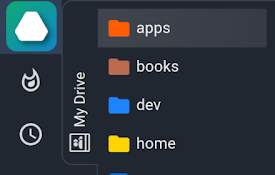
Drive Explorer
Your Drive files in a popup or in a panel next to
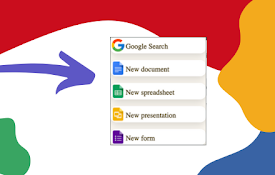
Google Docs Quick Create
Quickly create new Google Docs, Sheets, Slides, an
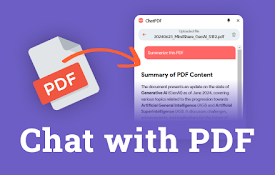
ChatPDF - ChatGPT for PDF
使用ChatPDF:AI摘要工具与PDF聊天,提取洞见并获取AI总结。简化您的PDF阅读!⚡ 介绍

DeepSeek AI
使用DeepSeek AI - 与DeepSeek智能对话,畅聊无阻,提升生产力!? 与 DeepS