Custom Site JS Chrome 插件, crx 扩展下载
CRX扩展文件安装方法
第1步: 打开Chrome浏览器的扩展程序
第2步:
在地址栏输入: chrome://extensions/
第3步: 开启右上角的【开发者模式】
第4步: 重启Chrome浏览器 (重要操作)
第5步: 重新打开扩展程序管理界面
第6步: 将下载的crx文件直接拖入页面完成安装
注意:请确保使用最新版本的Chrome浏览器
同类插件推荐

Custom JavaScript for Websites 3
Run custom JavaScript on any website.Overview Run

Custom Site JS
Run your own (per url or domain) custom JavaScript

JS-Exec
Inject your own JavaScript in any webpage.JS-Exec

JS Injector
Automate testing and auto-populate forms by inject

Javascript runner
This extension allows you to execute Javascript co

Scriptify Web - Inject JavaScript
Write quick JavaScript for any webpage on the web!

Custom Code Injector
Run custom javascript and css in a webpage with ea

Scripty - Javascript Injector
Inject your Javascript into the webpageThe Scripty

exec JavaScript
Inject your own JS code on any websiteThis extensi

Sites custom codes - inject CSS and JS
Simple tool to inject your CSS and JS codes in sit

Custom Style Script
Add Custom JavaScript (JS) Code or Styles (CSS) to

Ext Manager Pro:您的扩展控制中心
使用 Extensions Manager Pro 彻底改变扩展控制!快速管理、启用/禁用插件。立即
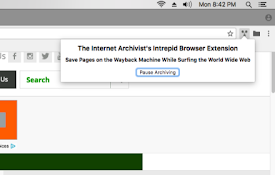
The Internet Archivist's Intrepid Extension
Save the pages you visit on the Wayback Machine wh