
HUB Network Connector Chrome 插件, crx 扩展下载
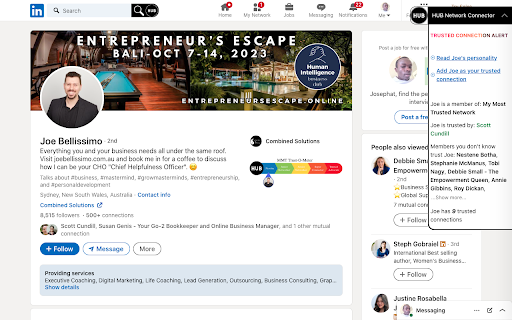
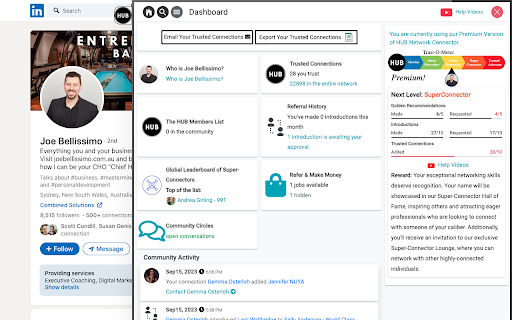
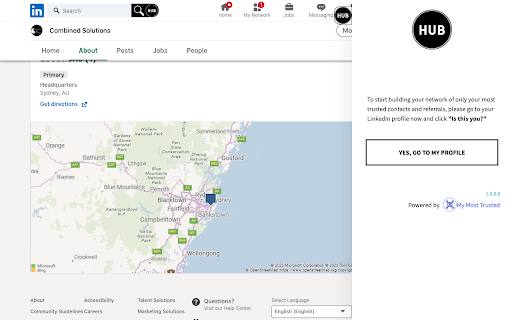
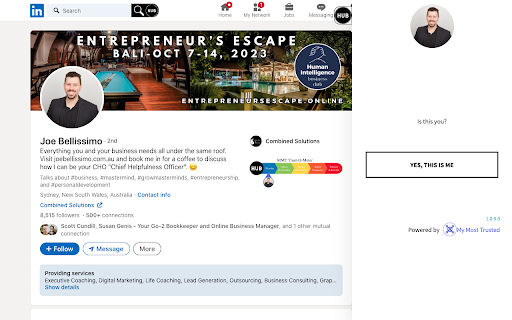
Find the right connections, at the right time, and connect in the best way to build long-term business relationships.
The HUB Network Connector extension is a great tool for finding the right connections on LinkedIn and making great connections with ease. Here are some of the benefits of using the HUB Network Connector extension:
Find the right people. The extension allows you to search LinkedIn for people who meet your specific criteria, such as their job title, industry, location, and interests. This can help you save time and effort when trying to find the right people to connect with.
Personalize your connections. The extension allows you to see a person's full profile before you connect with them, so you can tailor your connection request to their specific interests. This shows that you're interested in building a genuine relationship, not just a cold connection.
Stay connected with ease. The extension sends you notifications when people you're connected with post new content or update their profile. This helps you stay up-to-date on what they're doing and makes it easy to start a conversation.
Build your network. The extension allows you to see who your connections are connected to, so you can easily reach out to new people. This can help you expand your network and reach a wider audience. If you're looking for a way to find the right connections on LinkedIn and make great connections with ease, the HUB Network Connector extension is a great tool to consider. Here are some additional tips for using the HUB Network Connector extension to its full potential:
Use the search filters to find the right people. The extension has a variety of search filters that you can use to find the right people to connect with. For example, you can filter by job title, industry, location, and interests.
Personalize your connection requests. When you send a connection request, take the time to personalize it. This shows that you're interested in building a genuine relationship, not just a cold connection.
Stay connected. The extension will send you notifications when people you're connected with post new content or update their profile. This helps you stay up-to-date on what they're doing and makes it easy to start a conversation.
Reach out to new people. The extension allows you to see who your connections are connected to, so you can easily reach out to new people. This can help you expand your network and reach a wider audience. If you follow these tips, you'll be well on your way to using the HUB Network Connector extension to its full potential and building strong relationships on LinkedIn.
| 分类 | 👥社交 |
| 插件标识 | aaidboaeckiboobjhialkmehjganhbgk |
| 平台 | Chrome |
| 评分 |
★★★☆☆
3
|
| 评分人数 | 2 |
| 插件主页 | https://chromewebstore.google.com/detail/hub-network-connector/aaidboaeckiboobjhialkmehjganhbgk |
| 版本号 | 93 |
| 大小 | 3.57MiB |
| 官网下载次数 | 29 |
| 下载地址 | |
| 更新时间 | 2025-01-06 00:00:00 |
CRX扩展文件安装方法
第1步: 打开Chrome浏览器的扩展程序
第2步:
在地址栏输入: chrome://extensions/
第3步: 开启右上角的【开发者模式】
第4步: 重启Chrome浏览器 (重要操作)
第5步: 重新打开扩展程序管理界面
第6步: 将下载的crx文件直接拖入页面完成安装
注意:请确保使用最新版本的Chrome浏览器
同类插件推荐
ABCommerce
Boost e-commerce success with ABCommerce: Easy, im

PromptEasily ChatGPT - HDTeam
PromptEasily ChatGPT - HDTeam adds a list of curat

AI-MultiPrompt
A Web Extension that allows to simultaneously subm

Michael's Upgrade for TrakED
Upgraded features for TrakED in the THS. (This ext

PromptSync
Ask ChatGPT, Bard AI, and Bing Chat with one singl

HUB Network Connector
Find the right connections, at the right time, and

Simple QR Code Generator
Generates a QR code based off on what website are

Weeklee
Weeklee browser extensionWeeklee.ai is the ultimat

Apiary - Web Highlighter & Annotator
Highlight and take notes directly on what you read

brocrobes
Browser plugin for https://transcrob.esBrocrobes i

Stop It Grandpa
Prevents grandpa from lookin' at his favorite

Circle of Trust
LinkedIn business networking extension for entrepr

Tanuki Utilities
Provide useful utilities for GitLab users.Title ch