
Base64 Decoder Chrome 插件, crx 扩展下载
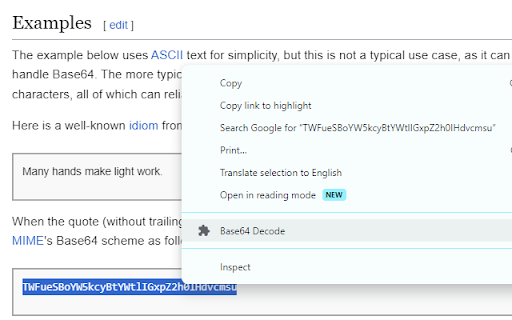
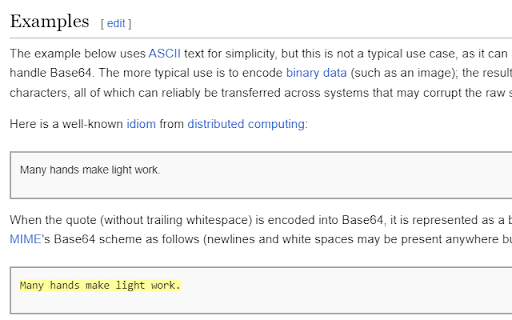
Decodes Base64 strings. Highlight the string and right-click.
This is a tiny extension that does just one thing: Decodes Base64 strings.
To use, simply highlight the string you wish to decode, right-click it, and select 'Base64 Decode'.
Note: depending on the structure of the page, decoding the string may cause some funny formatting issues. Refresh the page to restore structure/formatting.
This plugin runs 100% locally in your browser, no data is collected or transmitted in any way.
| 分类 | 💻开发者工具 |
| 插件标识 | ababhhiegjhaohnipcgjfgfeljakfhhc |
| 平台 | Chrome |
| 评分 |
★★★★★
5
|
| 评分人数 | 1 |
| 插件主页 | https://chromewebstore.google.com/detail/base64-decoder/ababhhiegjhaohnipcgjfgfeljakfhhc |
| 版本号 | 0.3 |
| 大小 | 14.7KiB |
| 官网下载次数 | 3000 |
| 下载地址 | |
| 更新时间 | 2024-03-16 00:00:00 |
CRX扩展文件安装方法
第1步: 打开Chrome浏览器的扩展程序
第2步:
在地址栏输入: chrome://extensions/
第3步: 开启右上角的【开发者模式】
第4步: 重启Chrome浏览器 (重要操作)
第5步: 重新打开扩展程序管理界面
第6步: 将下载的crx文件直接拖入页面完成安装
注意:请确保使用最新版本的Chrome浏览器
同类插件推荐

GotoBase64Link
Go to base64 encoded link by Right Click우클릭으로 간단하게

simya helper
자동 주소 디코딩 및 사생활 보호(익스텐션의 옵션참고)base64 주소를 자동으로 표시하고

Base 64 Encoder-Decoder
Base 64 Encoder-DecoderThis extension allows the u

Clip64 Base64 Decoder
Decode Base64 to the clipboard.Clip64 decodes Base

Base64 Encoder/Decoder
Encodes and decodes media to and from Base64.Base6

base64 decoder
Easily en- and decode any text to/from base64 righ
Base64 Decoder
Decodes Base64 strings. Highlight the string and r

Base64 decode & copy
Decode & copy selected Base64-encoded text in

Base64 encode/decode selected text
A base64 encoder/decoder extensions for the chrome

DIBE
Dcinside Integrated Broadcast Environment● 게시물 목록

Base64 Encoder and Decoder
Encode plain text to Base64, Decode Base64 text to

Get cookies.txt LOCALLY
Get cookies.txt, NEVER send information outside wi

d3coder
编码/解码插件,支持包括base64,rot13 或unix timestamp编码的转换This