
V-DOCS for Chrome Chrome 插件, crx 扩展下载
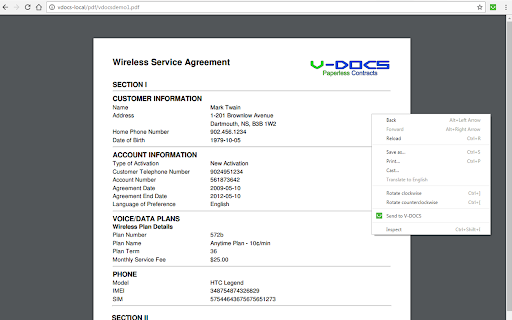

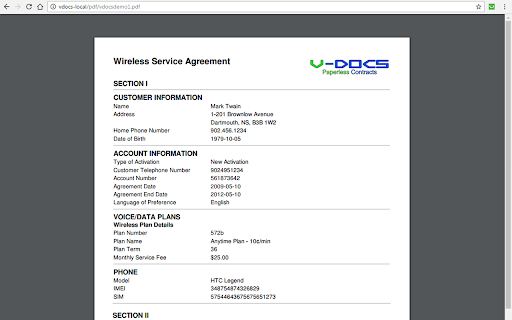
Open a page or document in the V-DOCS client software to sign
Say goodbye to paper and create operational efficiencies with V-DOCS digital contracts, the mobile industry’s premier paperless contract solution!
Paper contracts are time and cost inefficient, requiring an enormous amount of resources to generate and process them. This hinders the customer experience, and organizations bear the cost of paper, toner, storage space and labour.
V-DOCS digital contracts are quick, simple, accessible and secure. The V-DOCS solution digitally presents, signs, seals, stores, verifies and retrieves all documents related to a customer transaction with virtually no change to existing in-store procedures. V-DOCS improves customer satisfaction and processing speeds, while providing centralized access to agreements digitally archived in our secure storage solution. Moreover, V-DOCS helps companies save money, both on physical resources and the labour required to maintain them, while being environmentally conscious in doing so!
With the V-DOCS Chrome Extension, you can:
• Submit, sign and process contracts quickly & conveniently from your Web Browser.
• Ensure that contracts are signed and dated at all applicable signature points.
• Effortlessly provide your customer with a signed PDF copy of the contract via email.
• Easily attach any additional supporting materials to the contract, such as a driver’s license, simply by using your mobile device’s camera.
• Quickly access any incomplete contracts so that they can be signed and submitted.
Save a tree, cut down your costs instead! How can V-DOCS transform your business?
| 分类 | 📝工作流程与规划 |
| 插件标识 | acgnfddcijiiokkgbejblnknakknjjjp |
| 平台 | Chrome |
| 评分 |
★★★☆☆
3.2
|
| 评分人数 | 4 |
| 插件主页 | https://chromewebstore.google.com/detail/v-docs-for-chrome/acgnfddcijiiokkgbejblnknakknjjjp |
| 版本号 | 3.5.0 |
| 大小 | 19.21KiB |
| 官网下载次数 | 10000 |
| 下载地址 | |
| 更新时间 | 2024-08-03 00:00:00 |
CRX扩展文件安装方法
第1步: 打开Chrome浏览器的扩展程序
第2步:
在地址栏输入: chrome://extensions/
第3步: 开启右上角的【开发者模式】
第4步: 重启Chrome浏览器 (重要操作)
第5步: 重新打开扩展程序管理界面
第6步: 将下载的crx文件直接拖入页面完成安装
注意:请确保使用最新版本的Chrome浏览器
同类插件推荐

Complus Integration
This plugin allow integration to Complus.Tool for

Quickly Append row to Spreadsheet
Quickly append row to Spreadsheet from Chrome exte
V-DOCS for Chrome
Open a page or document in the V-DOCS client softw

FavIdenticon for Google Docs
Gives Docs, Sheets, and Slides unique favicons per
Document Editor
Create, edit and share Docs, Sheets, Slides, Word,

Create New
Quickly create new stuff.Quickly create new docume

Trelson Mail Switch
Redirects users from Gmail to a custom webmail ser

Dedicated Window For Google Docs
Open Google Docs, Sheets and Slides docs in separa

Open the link in Google™ Docs
Open the link (PDF, DOC, Image) in Google Docs in
SheetAside
Collect data to a spreadsheet with less clicks.She
iiSheet Spreadsheet
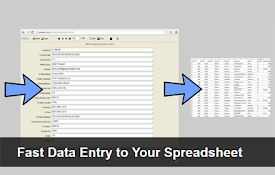
Fast data entry to your spreadsheetsiiSheet is an

Package Hub
Display dependencies for many package managers on

Foragear- Quick Search Tool
Autoscroll to relevant sections of a page and have