
Bookmark Favicon Changer Chrome 插件, crx 扩展下载
Change bookmark favicon
Bookmark Favicon Changer
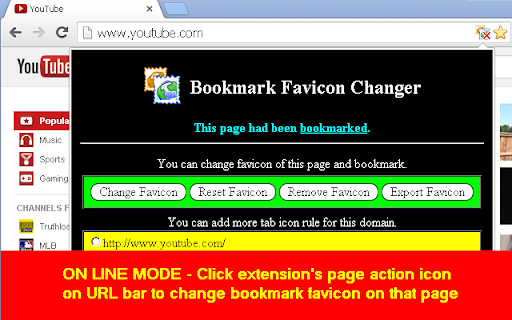
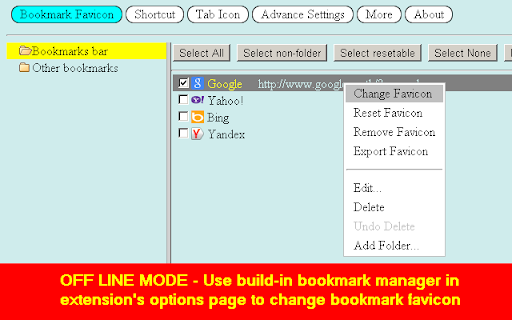
Change your bookmark favicon with ease using the Bookmark Favicon Changer extension. Simply click the extension icon or open the options page. Right-click on any bookmark, and a popup menu will appear, offering options to “Change Favicon,” “Reset Favicon,” and “Export Favicon.”
Key Features:
- Use any image file or image URL supported by your browser as a favicon.
- Automatically resize images to a maximum of 512x512 pixels and save them as PNG files.
- No need to keep the original favicon file after changing it.
- Easily reset the favicon back to its original state.
- Export your custom favicon for bookmarks.
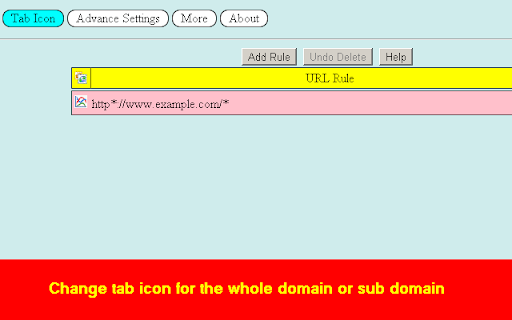
- Assign icons to tab icons for entire domains or subdomains.
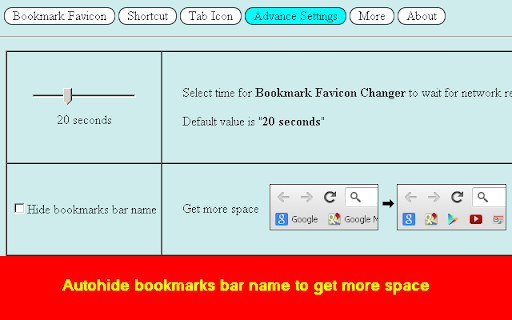
- Auto-hide bookmark bar names to maximize space.
Limitations:
- Bookmarks with the same URL will share the same favicon.
- You can only change the favicon for bookmarks with HTTP, HTTPS, or file protocols due to Chrome’s security permissions.
- To protect your custom favicon, keep the “Bookmark Favicon Changer” extension active; uninstalling the extension will revert your favicon to the default.
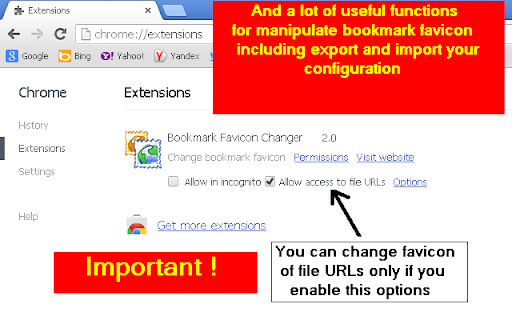
- Remember to enable “allow access to file URLs” in your browser extensions settings to change favicons for file URLs.
| 分类 | ⚙️功能性 |
| 插件标识 | acmfnomgphggonodopogfbmkneepfgnh |
| 平台 | Chrome |
| 评分 |
★★★★☆
4.2
|
| 评分人数 | 216 |
| 插件主页 | https://chromewebstore.google.com/detail/bookmark-favicon-changer/acmfnomgphggonodopogfbmkneepfgnh |
| 版本号 | 5.2 |
| 大小 | 370KiB |
| 官网下载次数 | 30000 |
| 下载地址 | |
| 更新时间 | 2025-01-19 00:00:00 |
CRX扩展文件安装方法
第1步: 打开Chrome浏览器的扩展程序
第2步:
在地址栏输入: chrome://extensions/
第3步: 开启右上角的【开发者模式】
第4步: 重启Chrome浏览器 (重要操作)
第5步: 重新打开扩展程序管理界面
第6步: 将下载的crx文件直接拖入页面完成安装
注意:请确保使用最新版本的Chrome浏览器
同类插件推荐

Bookmark Icon
在工具栏中显示书签图标Adds a bookmarks icon to the toolbar. B

Bookmark Iconizer
Set your icons for bookmarks which came without it
Bookmark Favicon Changer
Change bookmark faviconBookmark Favicon Changer C

Favicon Changer
Lets you change favicons for your bookmarks, singl

Get Favicon
This extension displays the current page's fav

Chrome Bookmarks
An easilier way to change your Chrome bookmark fav

Bookmark Manager Plus
Search bookmarks and do whatever you can imagine.T

Simple Bookmarks
Simple Bookmarks======================== New bookm

Tidy Bookmarks
Tidy BookmarksAccess bookmarks via popup menu. Dis

Minimal Bookmarks Tree
Display a tree of bookmarks under a toolbar button

Popup my Bookmarks
更有效率地查看及管理你的书签选单。- Firefox / IE-like bookmarks men

Better Bookmark
Easily add bookmarks to any category. Includes spo

Bookmark beautifier
A browser extension that sorts and organizes bookm