
Gmail Message Backup Chrome 插件, crx 扩展下载
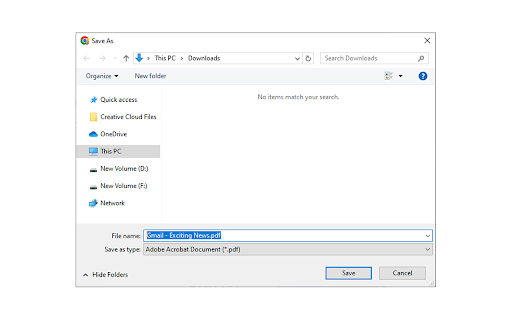
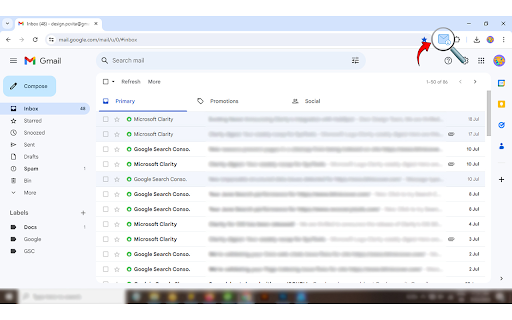
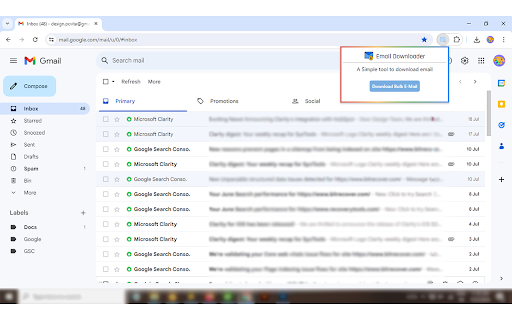
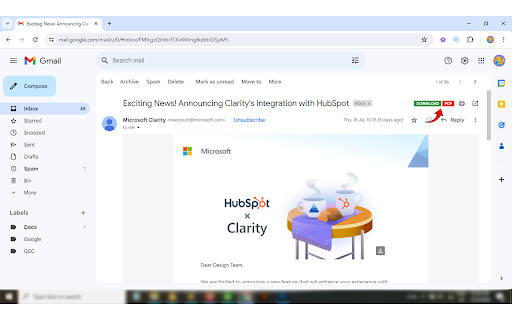
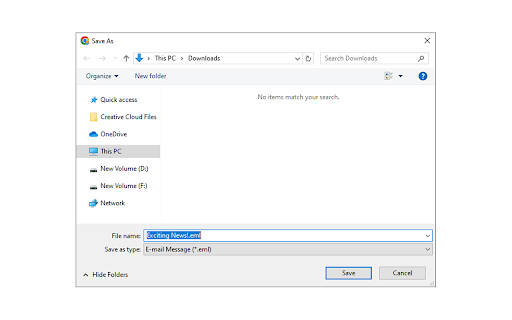
Adds a download button to each Gmail message to download the original email.
Overview: The Gmail Message Backup Tool allows users to access and save emails from their Gmail account. Emails can be stored in PDF or EML formats, allowing for data safety and long-term offline conservation. This tool offers an effective alternative to manual methods and provides selective backup.
The user must go through the time-consuming manual method, which takes a long time, to download emails. We take advantage of the tool for gmail message backups, which allows downloading of gmail emails, simplifying the whole process. The message can be stored offline for a long time due to the tool. This tool offers selective backup and data protection.
This tool provides the advanced feature to directly download the email in the system in the EML file format. You will find the downloading option in the inbox, social, and promotional folders as well as in the individual email folders, by using this automated method users can easily save all the emails in a few clicks.
You can migrate the messages along with the attachment, from a particular folder by clicking on the download option at the top right corner of the email. This will save your emails in the EML format as well as in PDF format.
Some advantages of the downloading gmail emails:
● Long-Term Storage - Backup allows storing emails for future reference.
● Data Security - It helps in the recovery of deleted email.
● Offline Access- This tool provides offline access of the message and mails.
| 分类 | 🛠️工具 |
| 插件标识 | aehlagamnffidaddkndmjgmgjdafimol |
| 平台 | Chrome |
| 评分 |
★★★★☆
4.4
|
| 评分人数 | 605 |
| 插件主页 | https://chromewebstore.google.com/detail/gmail-message-backup/aehlagamnffidaddkndmjgmgjdafimol |
| 版本号 | 1.4.1 |
| 大小 | 231KiB |
| 官网下载次数 | 660 |
| 下载地址 | |
| 更新时间 | 2024-10-22 00:00:00 |
CRX扩展文件安装方法
第1步: 打开Chrome浏览器的扩展程序
第2步:
在地址栏输入: chrome://extensions/
第3步: 开启右上角的【开发者模式】
第4步: 重启Chrome浏览器 (重要操作)
第5步: 重新打开扩展程序管理界面
第6步: 将下载的crx文件直接拖入页面完成安装
注意:请确保使用最新版本的Chrome浏览器
同类插件推荐
Gmail Message Backup
Adds a download button to each Gmail message to do

Gmail Button by cloudHQ
在您的电子邮件中创建一个按钮,以通过 Gmail 按钮获得更多点击Did you know that

Send from Gmail (by Google)
Makes Gmail your default email application and pro

Mailto: Set Default Email to Gmail by cloudHQ
Set Gmail as default email application when clicki