
KittyCursor- Fun Custom Cursors Chrome 插件, crx 扩展下载
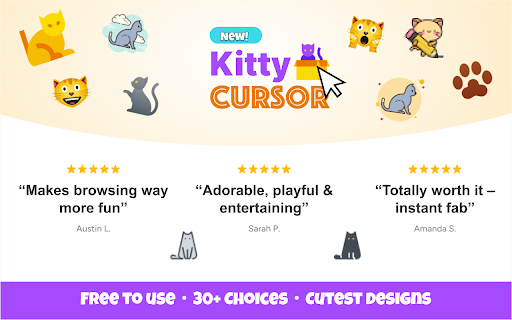
Replace your cursor with cute kitty cursors!
IMPORTANT: When installing, a popup will appear asking for permission to read and write all web pages. This is normal and safe, as KittyCursor needs to be able to change your cursor on all web pages you visit!
? KittyCursor is totally free to use and has no banner ads. Nobody is trying to sell you something. Let's just have some cute kitty fun!
✨ Features:
✅ Choose from unique and adorable kitty cursor designs.
✅ Seamless switching – change your cursor with just a click.
✅ Easy reversion – go back to your default cursor anytime.
✅ Lightweight & efficient – no impact on browsing speed.
✅ Simply install the extension, pick your favorite cat cursor, and enjoy a purr-fect browsing experience! ??
Download now and add a touch of feline fun to your Chrome browser! ??
After installing the extension, refresh previously opened tabs to use it on those pages. Note that the extension may not work on Chrome Web Store pages or the home page. Open another website (e.g., google.com) to test the extension.
Visit GrinningLabs at www.grinninglabs.com for more information.
| 分类 | 🎉趣味休闲 |
| 插件标识 | aflgglfbbboopfijaiclghbicfckdnfc |
| 平台 | Chrome |
| 评分 |
★★★★☆
4.8
|
| 评分人数 | 1416 |
| 插件主页 | https://chromewebstore.google.com/detail/kittycursor-fun-custom-cu/aflgglfbbboopfijaiclghbicfckdnfc |
| 版本号 | 1.2.1 |
| 大小 | 508KiB |
| 官网下载次数 | 114 |
| 下载地址 | |
| 更新时间 | 2025-02-20 00:00:00 |
CRX扩展文件安装方法
第1步: 打开Chrome浏览器的扩展程序
第2步:
在地址栏输入: chrome://extensions/
第3步: 开启右上角的【开发者模式】
第4步: 重启Chrome浏览器 (重要操作)
第5步: 重新打开扩展程序管理界面
第6步: 将下载的crx文件直接拖入页面完成安装
注意:请确保使用最新版本的Chrome浏览器
同类插件推荐
KittyCursor- Fun Custom Cursors
Replace your cursor with cute kitty cursors!IMPORT

Cursor Helper - 自定义光标
免费的自定义鼠标光标!独特而有趣,适合各种品味!**Cursor Helper ?** 是一款浏览器

Style Cursor
Custom mouse cursors! Change the cursor to cute cu

自定義光標
Chrome™ 的有趣自定義光標。 將默認鼠標光標替換為來自酷炫可愛光標集合的自定義鼠標光標。自定義