
Hide Instagram Explore & Reels Chrome 插件, crx 扩展下载
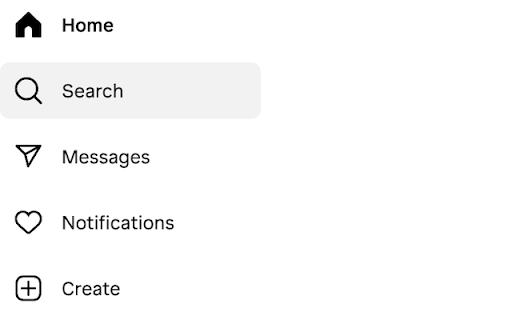
Simple extension that hides the 'Explore' and 'Reels' buttons on the Instagram webpage.
Install this extension if the Explore and/or Reels pages are wasting your time.
Changelog:
v0.1.2
- Extension was no longer hiding the 'Explore' page, changed the regex so that all <a> tags with an 'href' that contains '/explore/' are hidden.
v0.1.1
- Fixed a bug where pages were not hidden on non-English versions of instagram.com.
v0.1.0
- Initial release.
| 分类 | 🧘健康 |
| 插件标识 | ainjgbdpfmdndbglnhpganfhnabdhnbg |
| 平台 | Chrome |
| 评分 |
★★★★☆
4.7
|
| 评分人数 | 3 |
| 插件主页 | https://chromewebstore.google.com/detail/hide-instagram-explore-re/ainjgbdpfmdndbglnhpganfhnabdhnbg |
| 版本号 | 0.1.2 |
| 大小 | 45.46KiB |
| 官网下载次数 | 74 |
| 下载地址 | |
| 更新时间 | 2024-07-24 00:00:00 |
CRX扩展文件安装方法
第1步: 打开Chrome浏览器的扩展程序
第2步:
在地址栏输入: chrome://extensions/
第3步: 开启右上角的【开发者模式】
第4步: 重启Chrome浏览器 (重要操作)
第5步: 重新打开扩展程序管理界面
第6步: 将下载的crx文件直接拖入页面完成安装
注意:请确保使用最新版本的Chrome浏览器
同类插件推荐

Minimalinst
Extension for focused work in InstagramIntroducing
Hide Instagram Explore & Reels
Simple extension that hides the 'Explore'

IG Story Hider
Your friends will no longer know when you view the

Block and Hide Feeds - YouTube, Instagram, Twitter (X)
A plugin to block and hide feeds on YouTube, Insta

Insta Content Blocker
Cover your Instagram feed, stories, or direct mess

Hide Shorts Stories Reels - Youtube Facebook
Hide Shorts Stories Reels & Short Videos from
SocialFocus: Hide Distractions
Block feed, shorts, related and other distractions

UnDistracted - Hide Facebook, YouTube Feeds
Rise above the time-sinksThis Chrome extension ass

Youtube-shorts block
Play the Youtube shorts video as if it were a norm

Hide YouTube Thumbnails
Hide YouTube Thumbnails for less clickbaity browsi

Unhook - Remove YouTube Recommended & Shorts
Hide YouTube related videos, shorts, comments, sug

Antigram - Explore & Reels Blocker
Browser extension to fight back Instagram's ad

No YouTube Shorts
Removes all Shorts from YouTubeTired of the YouTub