
ScreenScan - Instant Screenshot Search Chrome 插件, crx 扩展下载
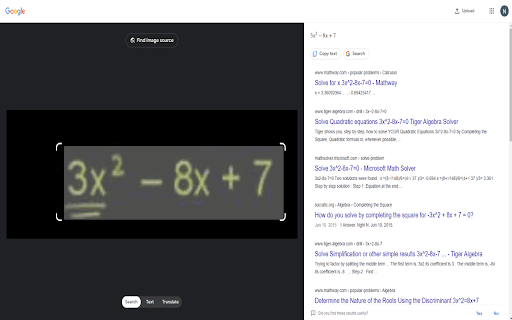

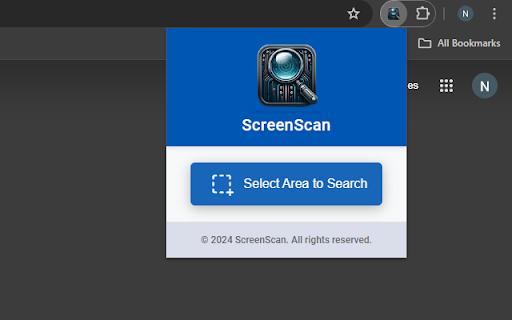

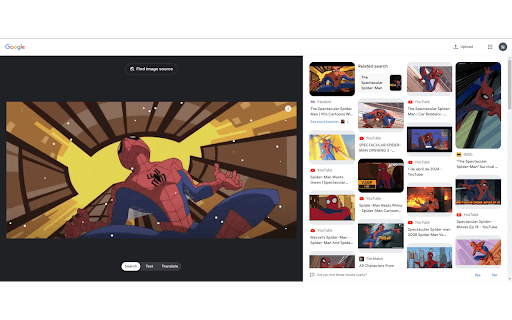
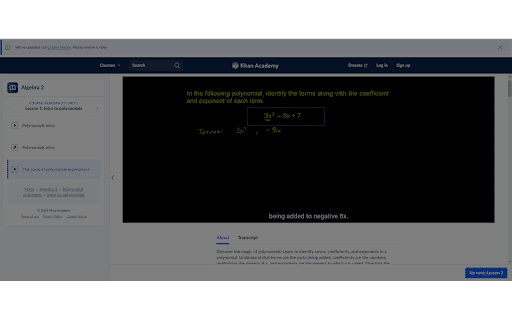
Instantly capture, search, and explore any image, video or text on the web with a click and discover more with Google Lens.
ScreenScan enhances the browsing experience by providing users with a swift, one-click solution to capture any visual content on their screen—be it text, images, or video stills—and seamlessly search for it using Google Lens and image search.
? How to Use:
▸ Click the ScreenScan icon in your browser.
▸ Press "Select Area to Search".
▸ Drag the cursor over the content you want to explore.
▸ Release, and voilà! A new Google Images tab opens with your results, ready for discovery.
? A Perfect Match for:
▸ Movie lovers identifying actors and uncovering film insights.
▸ Language learners translating text from images on the fly.
▸ E-shoppers comparing prices to snag the best deals.
▸ Students and educators enhancing their learning and teaching resources.
▸ Design aficionados validating design inspirations and sources.
▸ Knowledge explorers delving into detailed visuals for more information.
✨ Features:
1️⃣ Select and Search to identify products, translate texts, and dive deep into the visual web with Google Lens integration.
2️⃣ Discover the best deals by comparing product prices across different websites. Spot a must-have item on Amazon? Use ScreenScan to ensure you're getting the best price available anywhere.
3️⃣ Stumble upon a complex math equation? Select, search, and study it with ScreenScan. Whether it's calculus or historical art, an instant search sets the stage for quick learning.
4️⃣ Works flawlessly at any zoom level and on any display scale, ensuring your selections are accurate on screens big and small.
? Engage and Empower:
Your voice matters. Have a feature in your mind to make the extension even more versatile? Share your experience in the comments or email us directly at [email protected]. Your insights inspire our innovation.
Enhance your browsing, redefine discovery, and capture the essence of the web with ScreenScan today!
| 分类 | 🛠️工具 |
| 插件标识 | aipbmogagldlnpfkhbkceoplgjppplac |
| 平台 | Chrome |
| 评分 |
★★★★☆
4.6
|
| 评分人数 | 15 |
| 插件主页 | https://chromewebstore.google.com/detail/screenscan-instant-screen/aipbmogagldlnpfkhbkceoplgjppplac |
| 版本号 | 1.0.0 |
| 大小 | 737KiB |
| 官网下载次数 | 247 |
| 下载地址 | |
| 更新时间 | 2024-04-24 00:00:00 |
CRX扩展文件安装方法
第1步: 打开Chrome浏览器的扩展程序
第2步:
在地址栏输入: chrome://extensions/
第3步: 开启右上角的【开发者模式】
第4步: 重启Chrome浏览器 (重要操作)
第5步: 重新打开扩展程序管理界面
第6步: 将下载的crx文件直接拖入页面完成安装
注意:请确保使用最新版本的Chrome浏览器
同类插件推荐
ScreenScan - Instant Screenshot Search
Instantly capture, search, and explore any image,
截屏和屏幕视频录制 - Screeny
排名第一的屏幕录像和截图工具!全屏截图和屏幕录像。这是一款用于截取屏幕截图和录制屏幕视频的简单工具。

截屏和屏幕视频录制器
免费易用的屏幕录像机和屏幕截图工具。 截屏或录屏,编辑,下载和分享截取整個網站的精美屏幕截圖並捕獲頁

Screen Lens - Search Screen with Google Lens
Search your screen with Google Lens in a single cl