
Trailers for Netflix Chrome 插件, crx 扩展下载
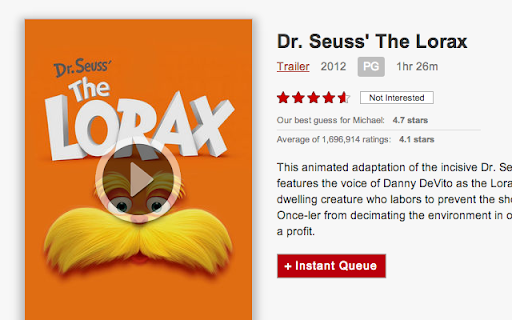
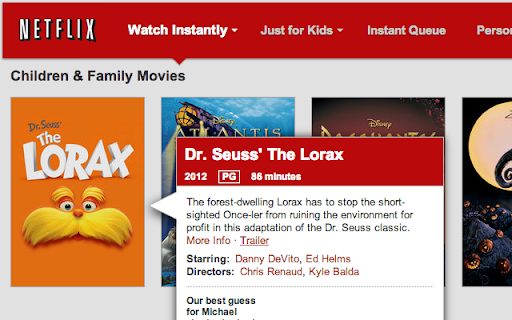
Link to movie and TV show trailers on Netflix.
Netflix is a great way to find movies, but it's always been a pain to know which show you'll like. Instead of opening a new tab and scouring the Internet for a trailer, or wasting time watching a show you might not like, this extension makes trailers just a click away. You'll see a link in the movie information popover and when viewing a specific movie's page.
| 分类 | 🎉趣味休闲 |
| 插件标识 | ajabmkbhelefbgbjphcgffoikoiajaib |
| 平台 | Chrome |
| 评分 |
☆☆☆☆☆
|
| 评分人数 | |
| 插件主页 | https://chromewebstore.google.com/detail/trailers-for-netflix/ajabmkbhelefbgbjphcgffoikoiajaib |
| 版本号 | 2.8.0 |
| 大小 | 437KiB |
| 官网下载次数 | 328 |
| 下载地址 | |
| 更新时间 | 2014-08-17 00:00:00 |
CRX扩展文件安装方法
第1步: 打开Chrome浏览器的扩展程序
第2步:
在地址栏输入: chrome://extensions/
第3步: 开启右上角的【开发者模式】
第4步: 重启Chrome浏览器 (重要操作)
第5步: 重新打开扩展程序管理界面
第6步: 将下载的crx文件直接拖入页面完成安装
注意:请确保使用最新版本的Chrome浏览器