
Oli - Web Assistant Chrome 插件, crx 扩展下载


I'm a digital assistant for professionals, focused on website building
[Alpha Version]
Hi, I'm Oli Web Assistant, a life-changing assistant for WordPress and Elementor website creators.
I can help you to
- Reduce manual work
- Reduce time spending on reparative tasks
- Keep you from mistakes
- Keep you from feeling frustrated
---
I'm currently in the very beginning stage. In the last couple of months I just learned to help you setup a new WordPress website with few clicks.
I call it "Easy Setup", I will create automatically a list of recommended tasks that should be completed in order to start building your new WordPress website, then you can edit it, add, remove and change the tasks.
The big news is that I will do all of them for you ?
I learned to do a lot of your tasks, for example:
- Cleanup unnecessary default themes, plugins and content ("Hello World", etc.)
- Set the permalink to Post Name for better SEO
- Hide the website from Search Engines while building the website
- Install your favorite plugins
- Create some initial pages like Home and About pages
---
If you use Elementor, I can also install Elementor Pro for you, turn on recommended features, create Theme Builder empty parts (Header, Footer, Single, and other parts) and more.
---
Feedback and feature requests are welcome, just ask me!
---
Change Log:
v0.0.12
New: WordPress - Create a category/tag
New: Elementor - Set global fonts
New: Elementor - Set global colors
New: Elementor - Enable/disable SVG uploads
New: Elementor - Open global style
New: Easy Setup - Set Elementor global colors and fonts
Tweak: Elementor - Suggest to save page before check a form
Fix: Answers should not saved to commands history
Fix: CSS for dark mode
Fix: WordPress - Can't install some plugins
Fix: Elementor - Remove the suggestion to `Check Form` on page load
v0.0.11
Fix: CSS Issues
v0.0.10
New: Check Elementor Forms:
- Test your forms and validate whether the server can send email notifications.
- Preview the notification email.
- Check the email spam score and view other debug information.
v0.0.9
New: Clear Elementor CSS Cache
v0.0.8
New: Logged in users can use AI to run tasks in natural language (multi language)
v0.0.7
New: `Create a Child Theme` task for generating a child theme based on current theme
New: `Set Elementor Maintenance Mode` task
Tweak: Remove unused plugins/themes instead of default
Fix: Assistant not working properly when wp-admin is in a sub folder
Fix: Easy Setup - RTL Issue
Fix: Easy Setup - Some tasks fail when plain URLs are used
v0.0.6
Tweak: Better UI/UX for Easy Setup app
Tweak: Added `Create Menu` task after create pages
Tweak: Save setup progress to user account
Tweak: Allow mark a task as completed
Tweak: Don't run completed tasks again
Tweak: Better flow for uninstall an active plugin
Fix: Assistant not loaded when wp-admin is in a sub folder
Fix: Easy Setup - Upload a SVG logo with no permission fails without a message
v0.0.5
Fix: Login and auto save your tasks
v0.0.4
Fix: Login and auto save your tasks
v0.0.3
Tweak: Added `Set Home Page` task after create pages
Tweak: Clarify where to answer for questions
Fix: Can't get your saved tasks
Fix: On install a plugin/theme the tasks are empty
v0.0.2
New: Login and auto save your tasks
Tweak: On click extension icon - open the assistant
Tweak: A notice where to find the assistant in extension popup
v0.0.1
New: Easy Setup - Automate your tasks on setup a new WordPress website
| 分类 | 📝工作流程与规划 |
| 插件标识 | alappidnfcfbjnanmcbdiahkpfkfmjja |
| 平台 | Chrome |
| 评分 |
★★★★☆
4.3
|
| 评分人数 | 25 |
| 插件主页 | https://chromewebstore.google.com/detail/oli-web-assistant/alappidnfcfbjnanmcbdiahkpfkfmjja |
| 版本号 | 0.0.12 |
| 大小 | 552KiB |
| 官网下载次数 | 151 |
| 下载地址 | |
| 更新时间 | 2023-06-19 00:00:00 |
CRX扩展文件安装方法
第1步: 打开Chrome浏览器的扩展程序
第2步:
在地址栏输入: chrome://extensions/
第3步: 开启右上角的【开发者模式】
第4步: 重启Chrome浏览器 (重要操作)
第5步: 重新打开扩展程序管理界面
第6步: 将下载的crx文件直接拖入页面完成安装
注意:请确保使用最新版本的Chrome浏览器
同类插件推荐

Open in WordPress playground
Launch WordPress Plugin or Theme in PlaygroundBrow

Scopic HUB
Get access to the 2000+ plugins and themes.Get ins

ChatGPT for Wordpress
Make your WordPress blogging easier and faster wit

WP Hive | A Better WordPress Plugin Repo
Show plugin report in WordPress.ORGThe WP Hive Chr

Login Me Now - WordPress Login Manager
A time saver instant login app for WordPress Websi

Xagio AI | Integrate ChatGPT & WordPress
Integrate the power of ChatGPT to write or modify
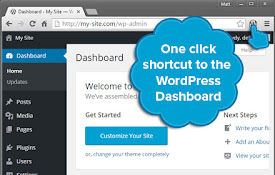
WordPress Dashboard Shortcut
One click to get to the WordPress dashboard from a

WordPress Admin Switcher
Quickly log into and switch to/from the WordPress

Best WordPress Tools
Different tools useful for WordPress developers an
Oli - Web Assistant
I'm a digital assistant for professionals, foc

My Open Tabs
Show open tab of Sheets, Docs and SlidesThis exten

JONI
Supertool For WhatsApp* Bulk Sender Send personal

WordPress Theme Detector and Plugin Detector
WordPress Theme Detector can detect installed Word