
LeetSox Proxy Manager Chrome 插件, crx 扩展下载

Proxy Manager is a user-friendly Chrome extension that allows you to easily manage your proxy settings directly from your browser.
Proxy Manager is a user-friendly Chrome extension that allows you to easily manage your proxy settings directly from your browser. Whether you need anonymous internet access or want to configure a proxy for a specific web service, this extension simplifies the process.
Key Features:
1. Easy Enable and Disable:
- Simply enter the IP address and port of your proxy server, and, if necessary, provide a username and password.
- Click the "Turn On Proxy" button to instantly activate the proxy server.
- Click the "Turn Off Proxy" button to revert to regular internet connectivity.
2. Authentication Management:
- The "Use Authentication" option lets you input proxy server credentials if required.
3. Intuitive Interface:
- Simple text fields and checkboxes make the extension user-friendly, even for beginners.
How to Use:
1. Install the extension from the Chrome Web Store.
2. Enter the IP address and port of the proxy server.
3. Optionally, enter the username and password.
4. Click "Turn On Proxy" to activate the proxy server.
5. Click "Turn Off Proxy" to deactivate the proxy and return to regular connectivity.
Proxy Manager provides a quick and straightforward way to control your proxy server directly from your browser. Manage your online security and privacy with ease!
| 分类 | 🔒隐私 |
| 插件标识 | aljhfipceiifbnidhipdeachfgldompk |
| 平台 | Chrome |
| 评分 |
★★★★☆
4.3
|
| 评分人数 | 574 |
| 插件主页 | https://chromewebstore.google.com/detail/leetsox-proxy-manager/aljhfipceiifbnidhipdeachfgldompk |
| 版本号 | 1.0.1 |
| 大小 | 83.3KiB |
| 官网下载次数 | 183 |
| 下载地址 | |
| 更新时间 | 2024-02-07 00:00:00 |
CRX扩展文件安装方法
第1步: 打开Chrome浏览器的扩展程序
第2步:
在地址栏输入: chrome://extensions/
第3步: 开启右上角的【开发者模式】
第4步: 重启Chrome浏览器 (重要操作)
第5步: 重新打开扩展程序管理界面
第6步: 将下载的crx文件直接拖入页面完成安装
注意:请确保使用最新版本的Chrome浏览器
同类插件推荐
LeetSox Proxy Manager
Proxy Manager is a user-friendly Chrome extension

Google Chrome™扩展程序管理器
直接从任何Chrome窗口轻松管理浏览器中所有已安装的扩展程序。管理扩展,快速启用/禁用扩展。 功

Extentie - 扩展程序管理器
漂亮而简单的扩展程序管理工具漂亮而又简单的弹出式 Chrome 扩展管理工具。 最近更新: - 现
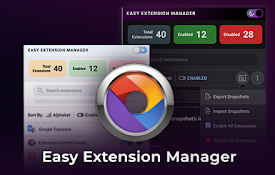
Easy Extension Manager
Effortlessly Manage Your Chrome ExtensionsEasy Ext