
Speak based on Azure Speech Chrome 插件, crx 扩展下载
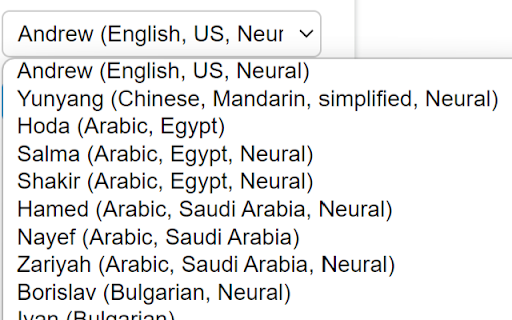
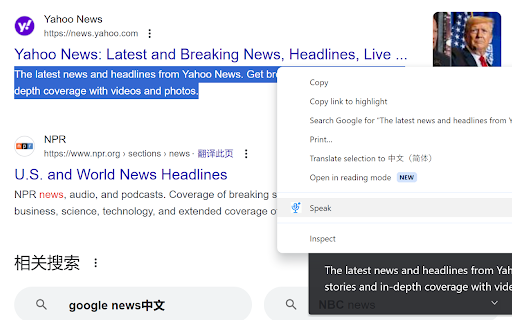
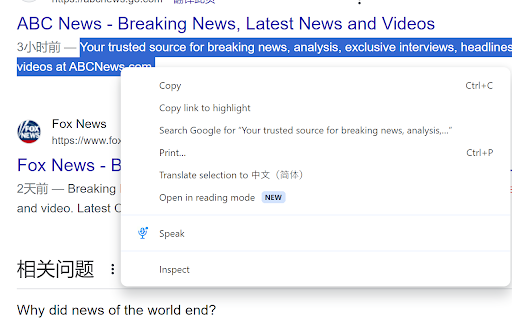
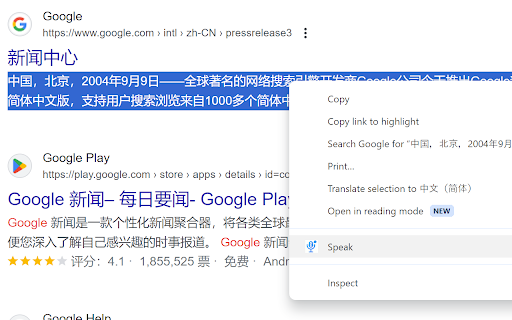
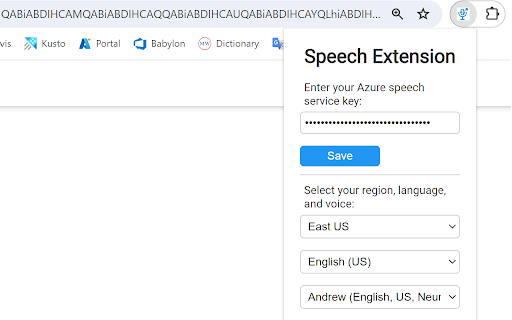
A extension that play audio of selected text based on Azure Speech service. Support a lot of language.
Text to speech (TTS) extension based on Azure speech. A extension that play audio of selected text based on Azure Speech Service. Support a lot of languages. You need to set the API key of Azure speech service.
Requirement:
- You need to have a Azure Speech Service already. The FreeTier of Azure Speech Service also works. 0.5 million characters free per month. You can create Azure speech service with this link: https://azure.microsoft.com/en-us/pricing/details/cognitive-services/speech-services/
- Caption is based on Ghrome Live Caption ability
Support Languages List:
- English (US)
- Chinese (Mandarin, simplified)
- Arabic (Egypt)
- Arabic (Saudi Arabia)
- Bulgarian
- Catalan
- Czech
- Danish
- German
- Greek
- English (Australia)
- English (Canada)
- English (UK)
- English (Ireland)
- English (India)
- Spanish (Spain)
- Spanish (Mexico)
- Finnish
- French (Canada)
- French (France)
- Hebrew
- Hindi
- Croatian
- Hungarian
- Indonesian
- Italian
- Japanese
- Korean
- Malay
- Norwegian
- Dutch
- Polish
- Portuguese (Brazil)
- Portuguese (Portugal)
- Romanian
- Russian
- Slovak
- Slovenian
- Swedish
- Tamil
- Telugu
- Thai
- Turkish
- Vietnamese
- Chinese (Mandarin, simplified)
- Chinese (Cantonese, traditional)
- Chinese (Taiwanese Mandarin)
Updates:
1.1: fix issue with char '&'
| 分类 | 🛠️工具 |
| 插件标识 | andejlggejnbmnoikmckpdlmlhlplkmi |
| 平台 | Chrome |
| 评分 |
★★★★☆
4.2
|
| 评分人数 | 5 |
| 插件主页 | https://chromewebstore.google.com/detail/speak-based-on-azure-spee/andejlggejnbmnoikmckpdlmlhlplkmi |
| 版本号 | 1.1 |
| 大小 | 175KiB |
| 官网下载次数 | 67 |
| 下载地址 | |
| 更新时间 | 2024-04-18 00:00:00 |
CRX扩展文件安装方法
第1步: 打开Chrome浏览器的扩展程序
第2步:
在地址栏输入: chrome://extensions/
第3步: 开启右上角的【开发者模式】
第4步: 重启Chrome浏览器 (重要操作)
第5步: 重新打开扩展程序管理界面
第6步: 将下载的crx文件直接拖入页面完成安装
注意:请确保使用最新版本的Chrome浏览器
同类插件推荐

Text-to-Speech with OpenAI TTS
Reads selected text using the OpenAI Text-to-Speec
Speak based on Azure Speech
A extension that play audio of selected text base
Microsoft 音频内容创建 TTS 导出器
一键下载 Microsoft Azure 文本转语音音频内容创建合成音频。Microsoft Azu

Offline Text To Speech
Convert your text to speech!Offline Text To Speech

Voice Remaker - 最好的 AI 语音生成工具
让 Voice Remaker 成为您最强大的 AI 音频生成器和最接近人声的文本转语音 (TTS)

MS Edge TTS (Text to Speech)
MsEdge TTS Extension (Text to Speech)✨ NEW FEATURE
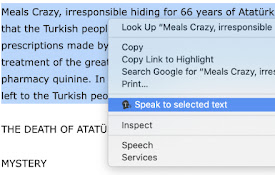
Selected text to speech
With this extension, you can speech to the selecte

Text to Speech (TTS)
A text to speech tool with natural sounding voices

Playtext — Text to Speech
Turn Articles into Audio. Read at 3x the speed! ⚡️
AI Voice Generator - Text to Speech (Read Aloud)
Read aloud any tex to lifelike speech using OpenAI

Voice Out: 文字转语音
使用文本转语音功能,以自然的语音朗读任何网页、Google文档、PDF或书籍。Voice Out T

文本转语音人工智能
最好的文本转语音人工智能工具改变了在线阅读内容的方式。尝试我们免费的人工智能语音生成器。Tts工具,

Text to Speech TTS AI | Readvox
Read aloud Web articles, Google Docs, Kindle, PDF