
Canva Free Elements Filter Chrome 插件, crx 扩展下载

Hide Canva Pro elements and show only Free ones
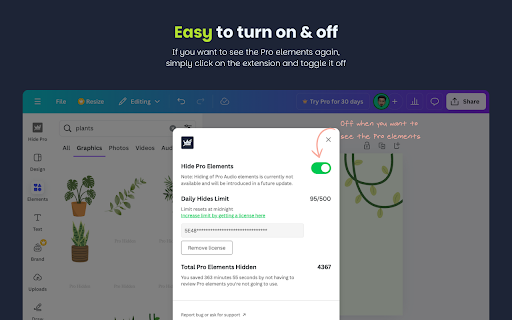
50 hides/day upon installation, 500 hides/day with a free license (more than enough for casual users) and unlimited hides per days with a small one-time fee.
Watch the video above to see how it works!
Note 1: This extension is fully compatible with the latest Canva design update!
Note 2: We respect your privacy—this extension does not store any of your browsing history. Permissions are only needed to identify Canva tabs and correctly hide Pro elements.
--
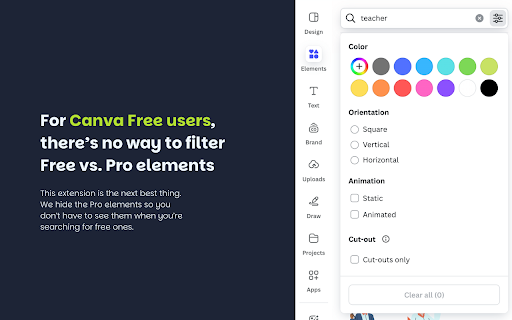
Tired of spending valuable time searching for free Canva elements buried under a sea of Pro options? You’re not alone.
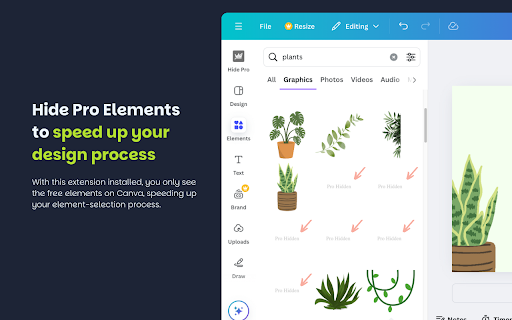
This extension is here to simplify your design workflow by automatically hiding Pro elements on Canva’s Free plan.
The result? A faster, hassle-free design process with no distractions or second-guessing. Only the Free elements you want are displayed.
Here’s how it works:
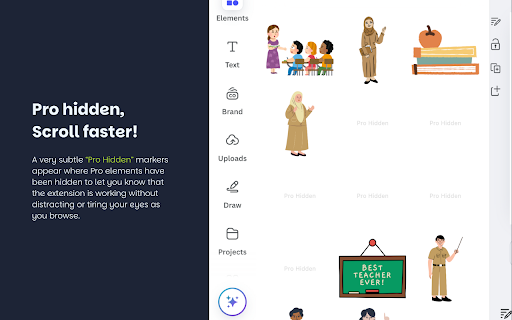
• Pro elements are replaced with a subtle “Pro Hidden” tag, leaving you with only Free options in the sidebar.
• Need Pro elements? Just toggle the extension off with a single click—super simple!
Currently, the extension supports hiding Graphics, Pictures, and Templates. We’re working on adding support for Videos and Audio elements soon!
Additional Features:
• Automatically hides up to 50 Pro elements daily upon installation.
• Boost this limit to 500 hides per day for free!
• Need unlimited hides? Unlock it with a small one-time fee to support ongoing development.
Start saving time and energy on Canva today by installing this extension.
| 分类 | 🛠️工具 |
| 插件标识 | bbeihpegemegidjfbidinmbdhllgmpgb |
| 平台 | Chrome |
| 评分 |
★★★★★
5
|
| 评分人数 | 3 |
| 插件主页 | https://chromewebstore.google.com/detail/canva-free-elements-filte/bbeihpegemegidjfbidinmbdhllgmpgb |
| 版本号 | 1.2 |
| 大小 | 78.28KiB |
| 官网下载次数 | 243 |
| 下载地址 | |
| 更新时间 | 2025-02-23 00:00:00 |
CRX扩展文件安装方法
第1步: 打开Chrome浏览器的扩展程序
第2步:
在地址栏输入: chrome://extensions/
第3步: 开启右上角的【开发者模式】
第4步: 重启Chrome浏览器 (重要操作)
第5步: 重新打开扩展程序管理界面
第6步: 将下载的crx文件直接拖入页面完成安装
注意:请确保使用最新版本的Chrome浏览器
同类插件推荐
广告拦截器 - Super Block
强大的广告拦截功能,增强隐私保护,提升安全性,易于使用,加快加载速度,延长电池寿命。Super Bl
Work Offline
Brings work offline and online in the web page lev

Extension Canva for Chrome | Design, Art & AI Editor
Canva is your editor in one graphic design Extensi
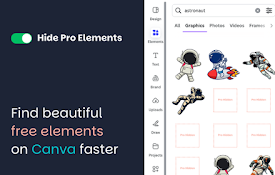
Canva Free Elements Filter
Hide Canva Pro elements and show only Free ones50

Canva Dark Mode
Enable dark mode on CanvaImmerse yourself in a vis

Prompt Genie: Grammarly but for prompts
The only tool to make you a ChatGPT ExpertLike Gra

Note It - Notes & OCR
A feature-packed note-taking extension with OCR su

Canva Bulk Maker
Save time and produce efficiently with this tool!

Country Flag Fixer
将神秘的国家代码自动替换为相应的国旗。为Windows上的Chromium用户提供解决方案!目前,W

Extension Manager
Manage and control your browser extensions more ea

Less CPU 4 U
Less CPU 4 U is a chrome extension that discards t
扩展管理器
专注于Chrome的扩展管理助手,帮助您一键完成扩展管理。本扩展管理器是您管理Chrome浏览器扩展
Scribd downloader
Scribd downloader online service allow user to get