URL Runner Chrome 插件, crx 扩展下载
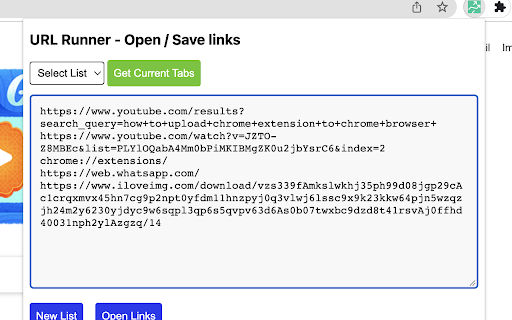

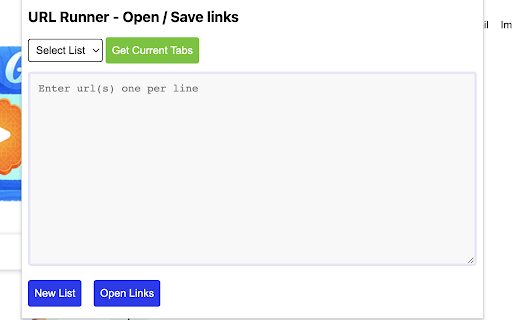
Open multiple urls with one click.
URL Runner is a browser add-on, a Chrome extension that helps you open multiple URLs with one click. Enjoy the simplicity of numerous URL openers with one tool. Not only that, if you are a marketer, a content writer, a salesperson, or an entrepreneur; URL Runner helps you increase your productivity by opening multiple URLs with one click and opening the first 10 Google Search Results in new tabs with one click!
A simple, yet powerful productivity extension that makes your research work easier. Fetch all the open URLs on your browser, delete a list of URLs, and manage your favorite list of URLs by creating your customized bookmarks.
Key Features:
? Allows users to open a list of custom links quickly and easily in new browser tabs
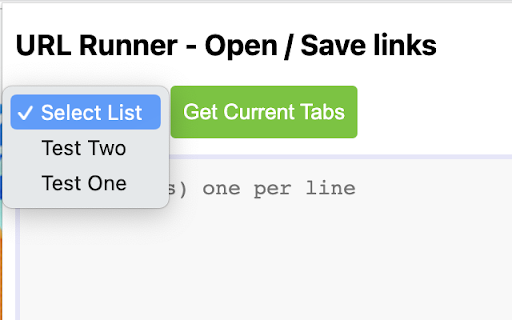
? Ability to create, save, load, and edit lists of links to provide a simple way to store and use a large number of links in the same place
? Help you open the first 10 URLs on Google Search to save time in research
? Fetches all the open URLs in your browser to help you collect active tab data easily
? Help you create a bookmark for the list of open URLs in your browser to save the list
? A productivity tool for marketers, affiliates, entertainers, artists, designers, and sales reps!
The extension does not collect any user data while running; we are proud of that!
You can open multiple URLs with our Bulk link opener feature. Not only that, but the URL opener also functions as a search engine batch link opener. This means you can open the initial 10 links on your Google Search with just a single click (this does not include ad URLs).
Start Using our bulk URL opener for:
? Open multiple links at the same time, save the list, and load list URLs to improve productivity
? Open the initial 10 Google Search results to save your time while doing research work
Open links in multiple tabs on your browser and make your browsing experience soothing.
| 分类 | 📝工作流程与规划 |
| 插件标识 | bcoldjnebeoehlkmgabfgkakpanmgbci |
| 平台 | Chrome |
| 评分 |
★★★★☆
4.4
|
| 评分人数 | 106 |
| 插件主页 | https://chromewebstore.google.com/detail/url-runner/bcoldjnebeoehlkmgabfgkakpanmgbci |
| 版本号 | 1.1.0 |
| 大小 | 91.63KiB |
| 官网下载次数 | 85 |
| 下载地址 | |
| 更新时间 | 2024-02-21 00:00:00 |
CRX扩展文件安装方法
第1步: 打开Chrome浏览器的扩展程序
第2步:
在地址栏输入: chrome://extensions/
第3步: 开启右上角的【开发者模式】
第4步: 重启Chrome浏览器 (重要操作)
第5步: 重新打开扩展程序管理界面
第6步: 将下载的crx文件直接拖入页面完成安装
注意:请确保使用最新版本的Chrome浏览器