
Reboost - Hydration Tracker & Custom Reminders Chrome 插件, crx 扩展下载

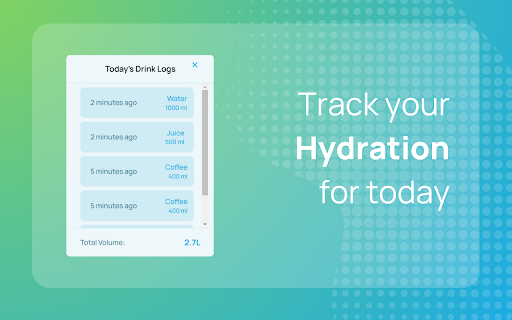
Log and track your water intake or set custom reminders like hydration alerts and eye rest breaks. ✨
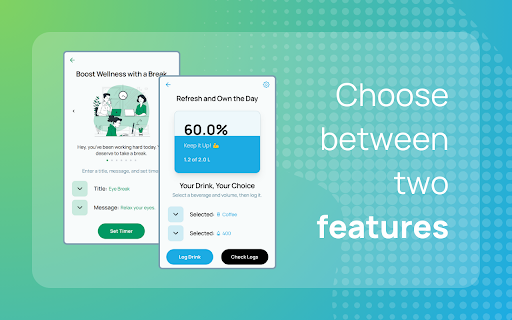
Reboost offers two essential wellness tools in one extension: a Hydration Tracker and a Wellness Custom Reminder system. Choose the feature that matters most to you, or use both to enhance your daily routine.
? Hydration Tracker
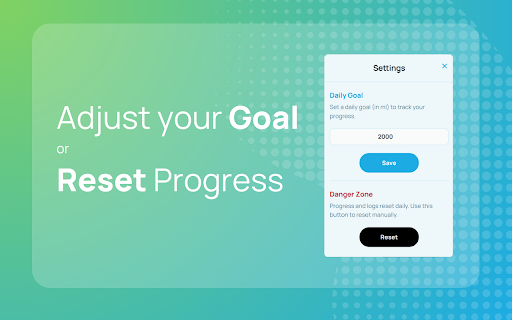
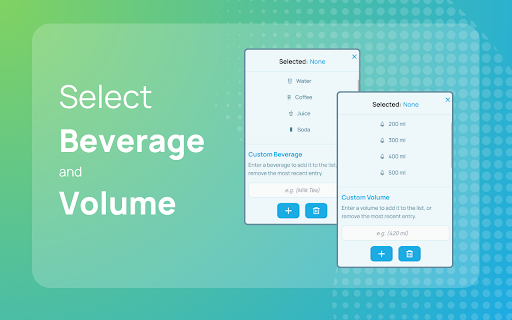
?Log your daily water and beverage intake
?Create custom drink types with personalized volumes
?Track progress toward your hydration goals
?Easily reset and review daily logs
?Set your own daily hydration targets
? Wellness Reminder
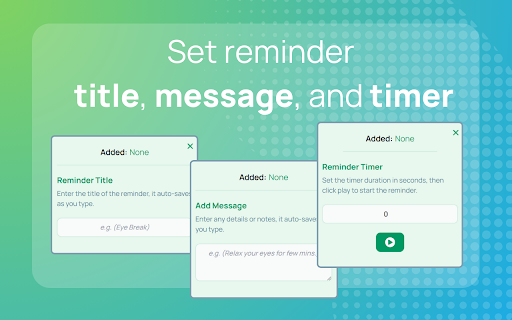
?Create custom break reminders (Eye Break, Hydration, etc.)
?Add notes to your reminders
?Easily set your preferred reminder timer
?Track countdown timer until next break
?Receive notifications even when extension is minimized
? Perfect for
✔️ Busy professionals who forget to stay hydrated
✔️ Anyone who needs structured break reminders
✔️ Remote workers managing their wellness routine
✔️ Students during long study sessions
? Simple to use - just choose your focus
1️⃣ Select Hydration Tracker or Wellness Reminder
2️⃣ Customize your settings
3️⃣ Let Reboost help you build better habits
? Latest Updates & Improvements (v1.2.0)
?️ Implemented persistent page navigation, allowing users to return to their most recently visited page instead of the homepage upon reopening the extension.
?️ Added version number to the home screen
Free, lightweight, and privacy-focused - no account required.
Download now and choose the wellness tool that fits your needs.
More information here:
https://reboost.fyi/
| 分类 | 🧘健康 |
| 插件标识 | bdlffpdkioakgjjpmgpboogfiaegbpgp |
| 平台 | Chrome |
| 评分 |
★★★★★
5
|
| 评分人数 | 6 |
| 插件主页 | https://chromewebstore.google.com/detail/reboost-hydration-tracker/bdlffpdkioakgjjpmgpboogfiaegbpgp |
| 版本号 | 1.2.0 |
| 大小 | 3.2MiB |
| 官网下载次数 | 112 |
| 下载地址 | |
| 更新时间 | 2024-12-20 00:00:00 |
CRX扩展文件安装方法
第1步: 打开Chrome浏览器的扩展程序
第2步:
在地址栏输入: chrome://extensions/
第3步: 开启右上角的【开发者模式】
第4步: 重启Chrome浏览器 (重要操作)
第5步: 重新打开扩展程序管理界面
第6步: 将下载的crx文件直接拖入页面完成安装
注意:请确保使用最新版本的Chrome浏览器
同类插件推荐
DayTicks - Organize your daily tasks
Organize your daily tasks. Right in your browser.

Water Tracker
Track your daily water intake and set reminders!?

Ashdeck: Free Website Blocker & Pomodoro Timer for Focus
Ashdeck: Free Website Blocker & Pomodoro Timer

Investabloom: News AI stock analysis
Scan news articles, make informed stock recommenda

LinkedIn Editor
Enhance your LinkedIn posts with custom text style
PostureMinder
Reminds you to sit up straight with pop-up notific

Hydration Reminder
Hydration Reminder reminds you to drink some water
Reboost - Hydration Tracker & Custom Reminders
Log and track your water intake or set custom remi

Softwater
Daily water trackerSoftwater - Daily Water Tracker
我的习惯 - 每日提醒
简单的工具,不会让你忘记任何重要的事情。设置提醒服用药物,喝水和药丸。我的習慣是您的首選瀏覽器擴充功

WordBlocker
Blocks specific words to combat bullying, racism,

Water Reminder
Choose to have an audio, visual, or audio and visu

Psalms Way! - Biblical Beginnings
A Biblical Pause Before New Beginnings, bringing t