
LeadIQ: Contact Data in One Click Chrome 插件, crx 扩展下载



LeadIQ helps customers build pipeline through smarter prospecting.
? Overview
LeadIQ is built to help you prospect smarter and build pipeline faster.
You will be able to find prospect data, track sales triggers, and personalize cold outreach all in one place with our smarter B2B contact database.
We make outbound work.
? It’s Free to start
Get value from Day 1. LeadIQ’s free offering allows you access to verified work emails, mobile phone numbers, generate AI-personalized emails, and track your key accounts!
⚙️ What can you do with the LeadIQ Extension
• Identify contact data for your key buyers
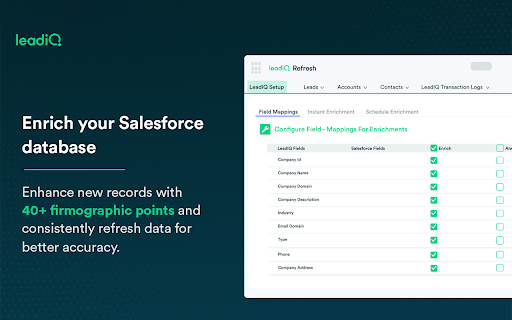
• Capture and sync that data directly to your CRM and Sales Engagement tools with one click
• Get a snapshot into your CRM and Sales Engagement tool, seeing if records exist, who owns them, and other vital insights
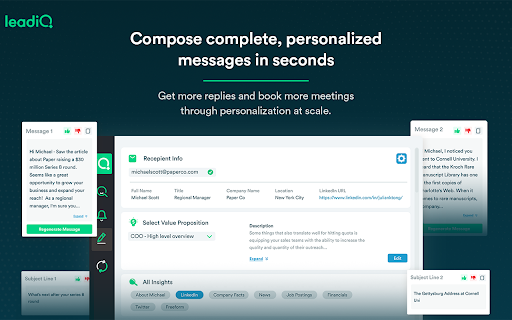
• Use Scribe, our AI sales email writer, to generate complete, personalized messages directly in Outreach, SalesLoft, or Gmail
?Why LeadIQ?
✅ Breadth of data
LeadIQ allows you access to over 600 million contacts across the US, EMEA, and APAC, including verified email addresses, mobile numbers, and technographic data.
✅ Smart database
Smart database: our agile data management processes allow us to update our data more frequently and fill data gaps faster than other data vendors.
✅ Scribe
Generate complete, personalized messages for any prospects in seconds
✅Track
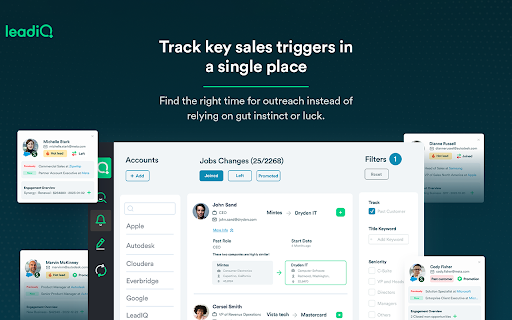
Know when to reach out to a prospect or account based on key signals
⌨️ For more info:
• Email: [email protected]
• Website: https://www.leadiq.com
• Privacy Policy: https://leadiq.com/privacy-center
| 分类 | 📝工作流程与规划 |
| 插件标识 | befngoippmpmobkkpkdoblkmofpjihnk |
| 平台 | Chrome |
| 评分 |
★★★★☆
4.8
|
| 评分人数 | 144 |
| 插件主页 | https://chromewebstore.google.com/detail/leadiq-contact-data-in-on/befngoippmpmobkkpkdoblkmofpjihnk |
| 版本号 | 25.02.21 |
| 大小 | 73.36KiB |
| 官网下载次数 | 40000 |
| 下载地址 | |
| 更新时间 | 2025-02-26 00:00:00 |
CRX扩展文件安装方法
第1步: 打开Chrome浏览器的扩展程序
第2步:
在地址栏输入: chrome://extensions/
第3步: 开启右上角的【开发者模式】
第4步: 重启Chrome浏览器 (重要操作)
第5步: 重新打开扩展程序管理界面
第6步: 将下载的crx文件直接拖入页面完成安装
注意:请确保使用最新版本的Chrome浏览器
同类插件推荐

Lead411 Chrome Extension
Lead411's Chrome Extension is built to extract

LeadIQ: Contact Data in One Click
LeadIQ helps customers build pipeline through smar

Outreach Everywhere
Maximize your sales potential, anywhere you go!The

ZoomInfo Chrome Extension
Access ZoomInfo's best-in-class contact and co

Nooks
Connect your sales apps with NooksNooks Chrome Ext

Seamless.AI
Find perfect emails, phone numbers and insights fo

Cognism - Premium Sales Intelligence
Find premium email and mobile data for your most v

Lusha - Easily find B2B contact information
Get access to the world’s most accurate global B2B

Name2Email: Find email by name for free
Find anyone's email based on their name right

Apollo.io: Free B2B Phone Number & Email Finder
Apollo enables users to find contact info, connect

Email Finder-Kendo Sourcing Ninja
Find business and personal emails on Linkedin with

RocketReach Chrome Extension
The RocketReach Extension helps you prospect on po

Clearbit Connect: Free, Verified B2B Emails
Instantly find emails for the right contacts at th