
Toggle Experiment Chrome 插件, crx 扩展下载
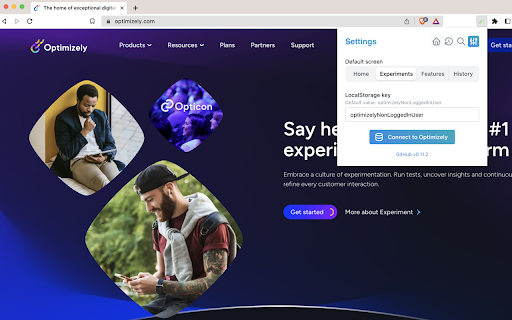
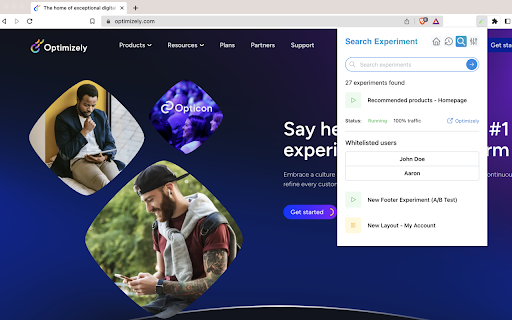
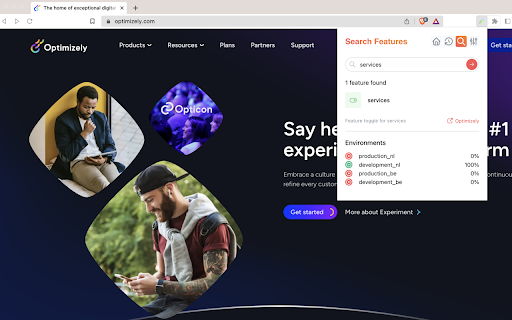
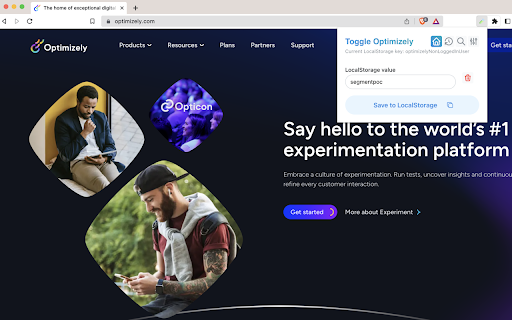
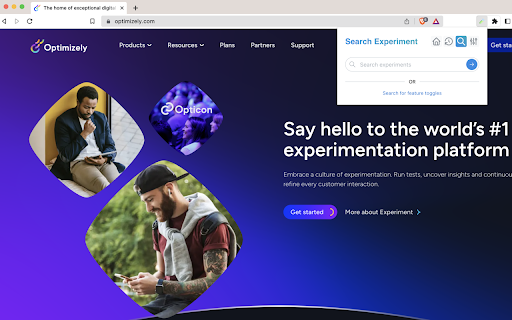
A browser extension to inject the LocalStorage of a website for Optimizely experiments.
Toggle Experiment for Optimizely is a Chrome extension that has the ability to search for A/B tests and feature tests within the Optimizely platform thanks to its API integration. The extension allows users to connect to the Optimizely API using an API key, which can be obtained from the Optimizely platform. Once connected, the extension allows the user to search for A/B tests and feature tests by experiment name. This allows users to quickly and easily find the specific A/B tests or feature tests that they need to work on, without having to navigate through the Optimizely platform.
Additionally, the extension also allows users to retrieve information about the different variations of an A/B test or feature test, including their names, description, and status. This information can be used to compare the performance of different variations of a website.
The extension also allows you to test whitelisted users, where you can run an A/B test or feature test directly in your browser. This means you can test different variations of a website without having to make the changes live on the website. This can be useful for developers and testers who want to test changes before they are released to the public.
Overall, the Toggle Experiment extension makes it easy for users to manage and test A/B tests and Feature tests within the Optimizely platform by utilizing its API. This can save time and improve efficiency for web developers and testers who need to work with A/B tests and feature tests on a regular basis.
The Chrome extension is not from Optimizely itself and has nothing to do with Optimizely. Additionally, the extension is open source, which means that the code is publicly available and can be modified by anyone on GitHub. This allows developers to easily improve the extension and add new features as needed.
GitHub page:
https://github.com/aaron5670/toggle-experiments-extension
| 分类 | 💻开发者工具 |
| 插件标识 | bfcajgcjbnmpblmomjphdaiodkfjjcdn |
| 平台 | Chrome |
| 评分 |
☆☆☆☆☆
0
|
| 评分人数 | 1 |
| 插件主页 | https://chromewebstore.google.com/detail/toggle-experiment/bfcajgcjbnmpblmomjphdaiodkfjjcdn |
| 版本号 | 0.11.2 |
| 大小 | 184KiB |
| 官网下载次数 | 53 |
| 下载地址 | |
| 更新时间 | 2023-06-29 00:00:00 |
CRX扩展文件安装方法
第1步: 打开Chrome浏览器的扩展程序
第2步:
在地址栏输入: chrome://extensions/
第3步: 开启右上角的【开发者模式】
第4步: 重启Chrome浏览器 (重要操作)
第5步: 重新打开扩展程序管理界面
第6步: 将下载的crx文件直接拖入页面完成安装
注意:请确保使用最新版本的Chrome浏览器
同类插件推荐
Statsig Features and Experimentation
A browser extension for the feature management and
Toggle Experiment
A browser extension to inject the LocalStorage of

Open Google :site Search
Open new tabs of Google searches with the prefix :

LetterGen - AI Cover Letter Generator
Generate personalized and professional cover lette

ChatIdeaPrompt-中文(简体)
发现和使用 ChatGPT 最佳技巧发现和使用 ChatGPT 最佳技巧 欢迎使用ChatIdeaP

Chant-GPT_Prompt
ChatGPT Prompt Extension- You can summon ChatGPT a

GitHub Red Issues
Revert closed GitHub issues from purple back to re

Boss Hub | Card
Boss Hub Card | Your Business Card GeneratorBoss H

Batch Cache
Customisable Bookmark Navigation HubThe Batch Cach

SummaryGPT
Summarize webpages using OpenAI's API# Summary

OneInATabRow
Closes and lists your recent tabs is one pageThis

YouTube Bookmarker
Bookmark your YouTube video timestampsKeep track o

GitHub to CircleCI
Open your CircleCI pipelines directly from a GitHu