
AdBlock Detector Bypass by CPE Chrome 插件, crx 扩展下载
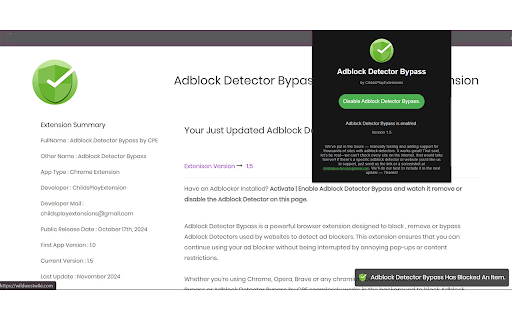
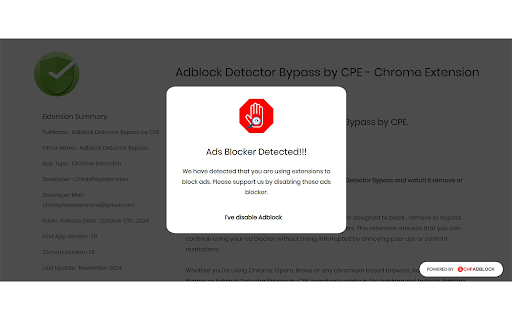
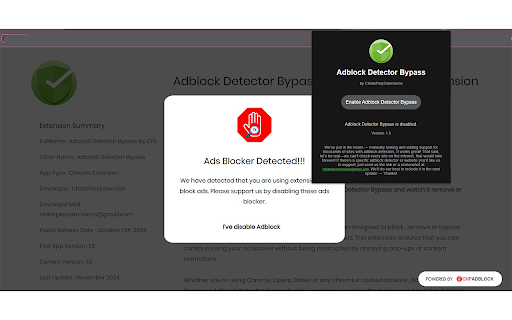
Bypass AdBlock Detectors on websites
AdBlock Detector Bypass by CPE is a lightweight and easy-to-use browser extension that stops websites from blocking your ad blocker. Say goodbye to intrusive "AdBlock detected" pop-ups and enjoy uninterrupted access to the content you love.
Whether you’re using Chrome, Opera, Brave, or any other Chromium-based browser, this extension works quietly in the background to bypass ad-block detection scripts, giving you a smooth and hassle-free browsing experience.
Key Features:
Bypasses AdBlock Detectors: Removes or bypasses systems that block your access when using an ad blocker.
Seamless Browsing: Eliminates persistent "AdBlock Detected" pop-ups, ensuring a faster, more enjoyable experience.
Simple to Use: Enable or disable with just one click—no setup required.
Take back control of your browsing with AdBlock Detector Bypass by CPE. No interruptions, no restrictions—just uninterrupted, ad-free surfing.
| 分类 | 📝工作流程与规划 |
| 插件标识 | bffmkleioghafggghlaeemdgjpmbppii |
| 平台 | Chrome |
| 评分 |
★★★★☆
4.5
|
| 评分人数 | 30 |
| 插件主页 | https://chromewebstore.google.com/detail/adblock-detector-bypass-b/bffmkleioghafggghlaeemdgjpmbppii |
| 版本号 | 1.9 |
| 大小 | 60.09KiB |
| 官网下载次数 | 1000 |
| 下载地址 | |
| 更新时间 | 2024-12-31 00:00:00 |
CRX扩展文件安装方法
第1步: 打开Chrome浏览器的扩展程序
第2步:
在地址栏输入: chrome://extensions/
第3步: 开启右上角的【开发者模式】
第4步: 重启Chrome浏览器 (重要操作)
第5步: 重新打开扩展程序管理界面
第6步: 将下载的crx文件直接拖入页面完成安装
注意:请确保使用最新版本的Chrome浏览器
同类插件推荐
AdBlock Detector Bypass by CPE
Bypass AdBlock Detectors on websitesAdBlock Detect

Urban Ad blocker
Block ad, pop-up & pre-roll video with Ad bloc

Adblock Ad Blocker Pro
使用 Adblock(Chrome 上最好的廣告攔截器)攔截廣告並加快瀏覽速度!享受更乾淨、更安全、

Smart Adblocker
Faster, Safer and Light weight AdBlocker for Chrom