
Google Meet Exit Page Chrome 插件, crx 扩展下载

Configure the exit page after ending a Google Meet call.
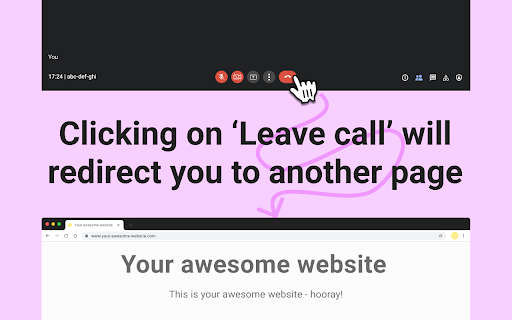
Configure the exit page that should be visible after a user ends a Google Meet call. A user will have to click the 'Leave call' button from Google Meet to then be redirected to the other page. This is useful if you always need to visit the same page after every meeting, or have a similar requirement.
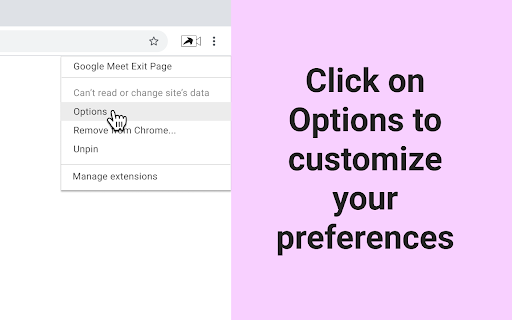
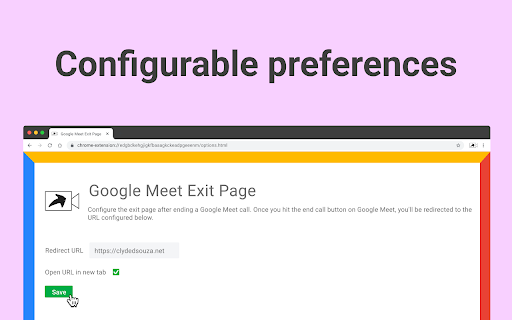
The exit page can be configurable from the extensions' Options page. You can also configure if the exit page needs to open in a new tab or the same tab.
| 分类 | 📝工作流程与规划 |
| 插件标识 | bjfoplibeabdkfmbanlocafjlbbimgai |
| 平台 | Chrome |
| 评分 |
★★★★★
5
|
| 评分人数 | 5 |
| 插件主页 | https://chromewebstore.google.com/detail/google-meet-exit-page/bjfoplibeabdkfmbanlocafjlbbimgai |
| 版本号 | 0.0.5 |
| 大小 | 10.09KiB |
| 官网下载次数 | 17 |
| 下载地址 | |
| 更新时间 | 2022-07-11 00:00:00 |
CRX扩展文件安装方法
第1步: 打开Chrome浏览器的扩展程序
第2步:
在地址栏输入: chrome://extensions/
第3步: 开启右上角的【开发者模式】
第4步: 重启Chrome浏览器 (重要操作)
第5步: 重新打开扩展程序管理界面
第6步: 将下载的crx文件直接拖入页面完成安装
注意:请确保使用最新版本的Chrome浏览器
同类插件推荐

Rate a Meeting
With a rise in remote work, there are more remote
Google Meet Exit Page
Configure the exit page after ending a Google Meet

Fleet Cabin Extension
Extension to read and store the traffic fine &

Sam's Club Coupons - Find the best coupons for Sam's Club
Sam's Club Coupons-This browser extension auto

Reabr
Online bookmark managerReabr.com is an online book

OIB Validator
Validate OIBs from context menu with this extensio

Hinthint Plugin
This extension will add users wishlist from any we

ChatGPT Prompt History
Prompt History with Arrow Keys for ChatGPT.Using U

kenBuddy
A simple way to fill your attendance sheet at kenj

Password Converter
Convert your EASY password into DIFFICULT password

SHR
Capture SHRThis browser extension can capture root

FogTeams for Google Meet - OWN YOUR TIME
Fully align team & stakeholders during meeting

FYBR
FYBR: clean inbox clean mindClean inbox. Clean min