
PDF Table to Excel Chrome 插件, crx 扩展下载
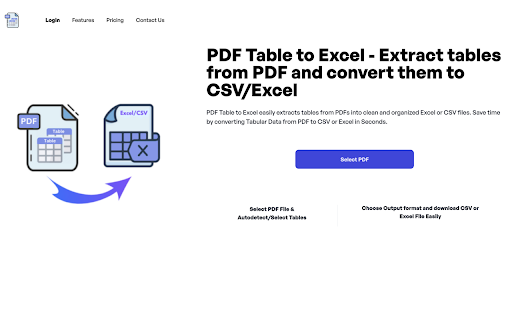
PDF Table to Excel easily extracts tables from PDFs into clean and organized Excel or CSV files.
Introducing PDF Table to Excel Converter - The Ultimate Chrome Extension for Extracting Tables from PDFs!
With PDF Tables to Excel Converter, you can quickly and accurately convert tables from massive PDF files into Excel or CSV formats. It supports PDFs up to 2000 pages or 400 MB, providing you with organized data in seconds.
Simply upload your PDF, and let our advanced algorithms do the rest. You can choose to have the tool automatically detect tables or manually select specific ones for extraction. PDF Tables to Excel guarantees fast, accurate results every time.
Features:
• Time-saving: No more manually copying table data from PDFs. Get precise conversions instantly.
• Automatic or Manual Table Selection: Choose to automatically detect tables or manually select the ones you need.
• Supports Excel and CSV Formats: Convert your PDF tables into either Excel or CSV for easy editing.
• Preserve Layout & Formatting: Maintain the original structure and formatting of your tables during the conversion process.
• OCR for Scanned PDFs: Extract tables even from scanned documents using built-in OCR technology.
• Unlimited Conversions: Convert as many PDFs as you need without any limitations.
• Fast Processing: Complete table extractions in as little as 3-5 seconds, even for large files.
Trusted by Professionals:
PDF Tables to Excel Converter is relied on by data analysts, researchers, and business professionals for its accuracy and efficiency in handling large PDFs.
Privacy and Security:
Your data privacy is our priority. All files are processed securely, ensuring your PDF content remains safe and confidential.
Don’t struggle with manual table extractions from PDFs. Try PDF Tables to Excel Converter today and transform your PDF data into Excel or CSV effortlessly!
| 分类 | 📝工作流程与规划 |
| 插件标识 | bkiedemegngpkdihpebhhmejlbmbagjl |
| 平台 | Chrome |
| 评分 |
★★★★☆
4.9
|
| 评分人数 | 5339 |
| 插件主页 | https://chromewebstore.google.com/detail/pdf-table-to-excel/bkiedemegngpkdihpebhhmejlbmbagjl |
| 版本号 | 1.0 |
| 大小 | 20.27KiB |
| 官网下载次数 | 272 |
| 下载地址 | |
| 更新时间 | 2024-09-06 00:00:00 |
CRX扩展文件安装方法
第1步: 打开Chrome浏览器的扩展程序
第2步:
在地址栏输入: chrome://extensions/
第3步: 开启右上角的【开发者模式】
第4步: 重启Chrome浏览器 (重要操作)
第5步: 重新打开扩展程序管理界面
第6步: 将下载的crx文件直接拖入页面完成安装
注意:请确保使用最新版本的Chrome浏览器
同类插件推荐

Trello 到 Excel
快速轻松地将您的 Trello 板导出到 Excel 文件。将所有卡片转换为 xls 并下载!? 使
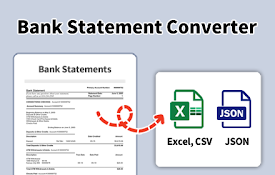
银行对账单转换器 - 从 PDF 转换为 Excel 和 CSV
轻松将来自全球数千家银行的 PDF 银行对账单转换为 Excel (XSL) 或 CSV 格式。将银
PDF Table to Excel
PDF Table to Excel easily extracts tables from PDF

Free Web Scraper: Fast, Simple Web Scraping
Blazing fast web scraping. Easily scrape any web p