
Stop Scrolling on YouTube Shorts Chrome 插件, crx 扩展下载
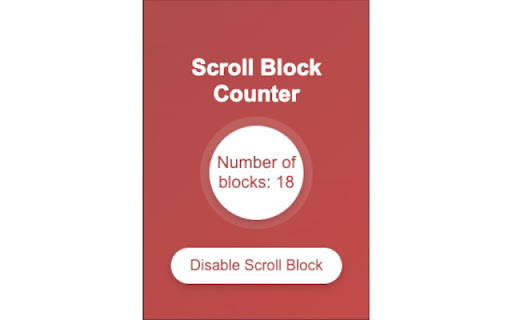
Blocks scrolling on YouTube Shorts.
Tired of endlessly scrolling through YouTube Shorts? Stop Scrolling is here to help! This simple and effective extension puts a limit to the infinite scroll on YouTube Shorts, helping you focus on what matters most.
With a user-friendly interface, you can easily enable or disable the scroll block at any time. Keep track of how many times the scrolling has been blocked with the built-in counter. Perfect for those who want more control over their YouTube viewing experience.
| 分类 | 🛠️工具 |
| 插件标识 | blifjfhmkcoakdbfapnokhhffamigiog |
| 平台 | Chrome |
| 评分 |
★★★★☆
4.7
|
| 评分人数 | 2767 |
| 插件主页 | https://chromewebstore.google.com/detail/stop-scrolling-on-youtube/blifjfhmkcoakdbfapnokhhffamigiog |
| 版本号 | 0.0.0.1 |
| 大小 | 557KiB |
| 官网下载次数 | 132 |
| 下载地址 | |
| 更新时间 | 2024-09-29 00:00:00 |
CRX扩展文件安装方法
第1步: 打开Chrome浏览器的扩展程序
第2步:
在地址栏输入: chrome://extensions/
第3步: 开启右上角的【开发者模式】
第4步: 重启Chrome浏览器 (重要操作)
第5步: 重新打开扩展程序管理界面
第6步: 将下载的crx文件直接拖入页面完成安装
注意:请确保使用最新版本的Chrome浏览器
同类插件推荐
Stop Scrolling on YouTube Shorts
Blocks scrolling on YouTube Shorts.Tired of endles
Shortstop - Block and Disable Youtube Shorts
Don't want to see Youtube shorts? Hide and dis

YouTube Blur
Avoid distractions on YouTube by blurring the thum

No more shorts
Removes shorts and shorts section from your youtub