
EthSign Keychain Chrome 插件, crx 扩展下载
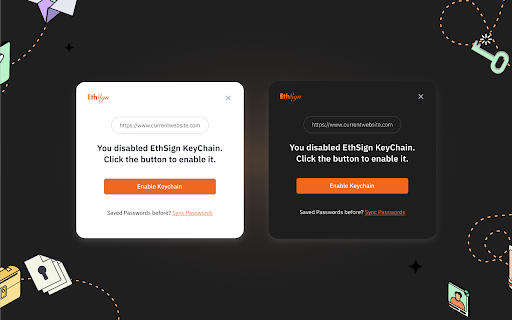
Store and protect login credentials with your MetaMask wallet.
EthSign Keychain is the credential manager for Web3. Keychain uses the entropy generated from your MetaMask seed phrase to provide the first layer of encryption for all stored credential entries, with a second optional password-based layer of encryption for added security. Credentials can be synced to AWS or Arweave across devices - with syncing enabled, any MetaMask installation using your seed phrase can retrieve and decrypt the stored credentials securely and easily. Credentials can also be exported and imported into a different MetaMask account, allowing credential sharing between accounts and devices without requiring syncing to be enabled. EthSign Keychain provides a registry for secure message passing between users, allowing data encryption that can only be decrypted by the intended recipient.
Keychain consists of two layers: a MetaMask Snap extension and this Chrome extension. The snap handles the processing of all sensitive information, including state management, credential encryption, and remote syncing capabilities. The snap contains granular permissions separated on each device to determine exactly what origins have permission to access given credential entries. The Chrome extension is built on top of the interface this snap provides, yielding an easy interface for credential state interaction. MetaMask must be installed for EthSign Keychain to function properly.
Features
- Form submission detection which finds most single-step login and signup forms.
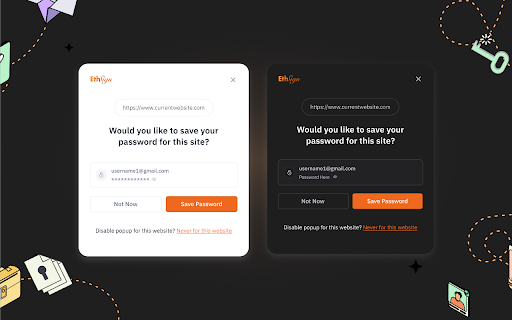
- Banners that appear on form submission to quickly and easily save new or updated credentials, or choose to never save passwords for a given site.
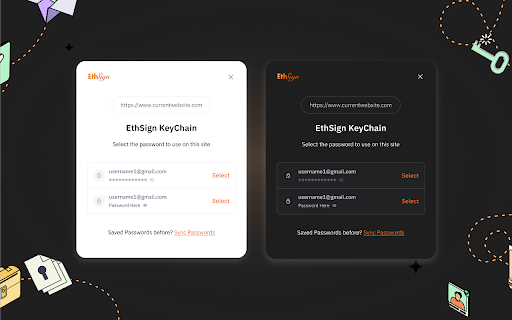
- Login form autofill capabilities.
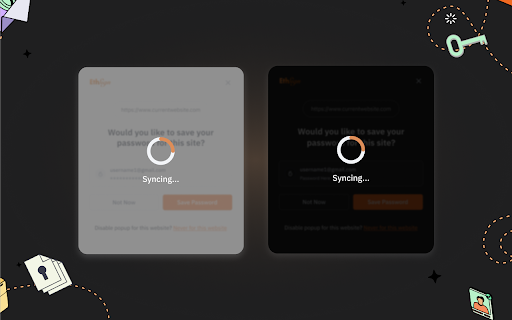
- Manually trigger a sync with remote password entries from Arweave or AWS.
- Easy UX flow for exporting and importing password states into the keychain snap.
- Manually add, edit, and delete password entries from the keychain.
- Easily visualize all password credentials for the current site.
- Disable remote syncing, or change the keychain snap’s remote syncing location between AWS and Arweave.
- Manage Access Permissions
Note: This extension requires MetaMask to be installed in your Chrome browser. This extension is unable to connect to MetaMask on elevated Chrome pages. For more information, please see our FAQ.
| 分类 | 🛠️工具 |
| 插件标识 | blnemhpbalnelelinobhcnbenkpdgabp |
| 平台 | Chrome |
| 评分 |
★★★★☆
4.9
|
| 评分人数 | 3899 |
| 插件主页 | https://chromewebstore.google.com/detail/ethsign-keychain/blnemhpbalnelelinobhcnbenkpdgabp |
| 版本号 | 1.0.3 |
| 大小 | 1.89MiB |
| 官网下载次数 | 28 |
| 下载地址 | |
| 更新时间 | 2023-09-17 00:00:00 |
CRX扩展文件安装方法
第1步: 打开Chrome浏览器的扩展程序
第2步:
在地址栏输入: chrome://extensions/
第3步: 开启右上角的【开发者模式】
第4步: 重启Chrome浏览器 (重要操作)
第5步: 重新打开扩展程序管理界面
第6步: 将下载的crx文件直接拖入页面完成安装
注意:请确保使用最新版本的Chrome浏览器
同类插件推荐

SatoMask
以太坊浏览器插件An Ethereum Wallet in your Browser SatoMa

Cosmostation Wallet
Non-custodial multi-chain extension wallet powered
The Interceptor
Understand Ethereum transactions before risking as

TresConnect MetaMask Impersonator
Impersonate any wallet on any dApp# TL;DR Get read
Enkrypt: ETH, BTC and Solana Wallet
The best multichain crypto walletThe best Metamask
BlockWallet
All eyes on your dreams with BlockWallet - your se

Blockchair
Block explorer and anonymous crypto portfolio trac

Inspect - Crypto | NFTs | DeFi | Web3
Unlock the Power of Crypto with Inspect - The Puls
EthSign Keychain
Store and protect login credentials with your Meta

Mask Network
The portal to the new & open Internet. Send en

TokenPocket - Web3 & Nostr 钱包
Crypto & DeFi & GameFi & NFT钱包,支持所有EVM

Zerion: Wallet for Web3 & NFTs
A crypto wallet for everything onchain. Browse, ow

Etherscan
Get the latest gas prices and the ability to easil