
Image Resizer - Resize & Optimize Images Chrome 插件, crx 扩展下载

Easily resize, optimize, and convert images directly from your browser with our lightweight Image Resizer extension.
Image Resizer is a fast, easy-to-use Chrome extension that lets you resize images directly from your browser. Whether you need to adjust an image for social media, a website, or any other use, this tool makes the process effortless.
? Key Features:
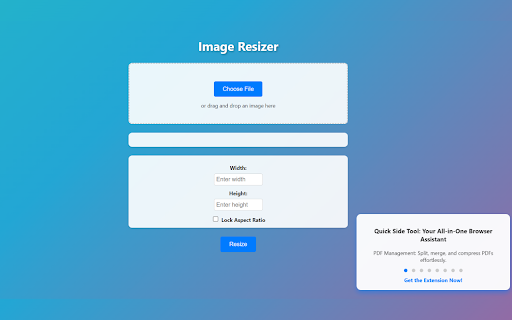
✔ Easy Image Upload – Drag and drop or select images from your computer.
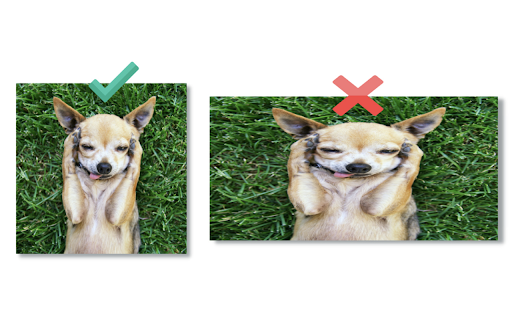
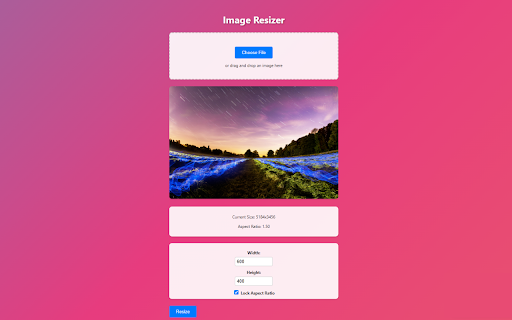
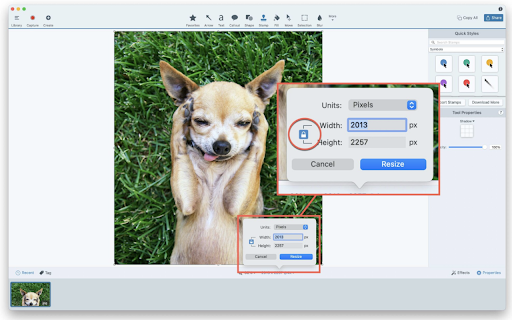
✔ Custom Resize Options – Set width and height manually with an optional aspect ratio lock.
✔ Preview Before Download – See the resized image before saving it.
✔ Fast & Lightweight – Resize images instantly without leaving your browser.
✔ Privacy-Focused – All processing is done locally, ensuring your images remain secure.
? Why Choose Image Resizer?
✅ User-Friendly Interface – Simple and intuitive, perfect for beginners and professionals.
✅ No Internet Required – Works offline; no data is sent to external servers.
✅ Completely Free – No hidden fees or subscriptions.
? How to Use:
1️⃣ Click the Image Resizer icon in your Chrome toolbar.
2️⃣ Upload an image via drag-and-drop or file selection.
3️⃣ Enter the desired width and height, then click Resize.
4️⃣ Preview the resized image and download it instantly.
✨ Discover More – Quick Side Tool
Looking for more productivity tools? Check out Quick Side Tool – an all-in-one extension for PDF management, image optimization, and more!
? Support & Feedback
Need help or have suggestions? Contact us at [email protected].
? Get started today and resize your images with ease!
| 分类 | 🛠️工具 |
| 插件标识 | bmooadknflpjeaagpaaclbcgdpgglagn |
| 平台 | Chrome |
| 评分 |
★★★★☆
4.4
|
| 评分人数 | 6942 |
| 插件主页 | https://chromewebstore.google.com/detail/image-resizer-resize-opti/bmooadknflpjeaagpaaclbcgdpgglagn |
| 版本号 | 3.0 |
| 大小 | 16.87KiB |
| 官网下载次数 | 336 |
| 下载地址 | |
| 更新时间 | 2025-02-23 00:00:00 |
CRX扩展文件安装方法
第1步: 打开Chrome浏览器的扩展程序
第2步:
在地址栏输入: chrome://extensions/
第3步: 开启右上角的【开发者模式】
第4步: 重启Chrome浏览器 (重要操作)
第5步: 重新打开扩展程序管理界面
第6步: 将下载的crx文件直接拖入页面完成安装
注意:请确保使用最新版本的Chrome浏览器
同类插件推荐

图像分割器
? 使用图像分割器轻松分割或更改图像大小、裁剪、调整大小并创建照片网格!你完美的网格制作工具!? 您

图像缩放器
调整或裁剪来自任何网站的任何图像或上传和调整您自己的图像想要在从 Internet 下载图像之前快速

Image Resizer - Resize & Optimize Images
Easily resize, optimize, and convert images direct

图像调整大小工具
?️ 在线使用图像调整大小工具调整图像大小、裁剪图像和压缩照片。非常适合社交媒体、网页和批量调整大小