
Anti-Captcha Blocker Extension Chrome 插件, crx 扩展下载
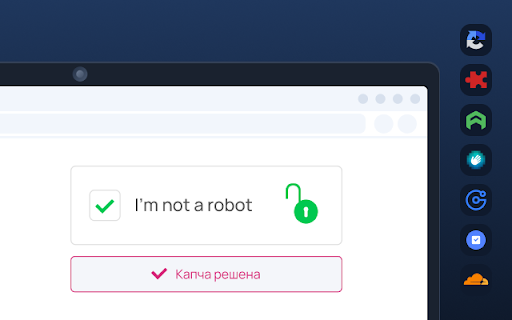
Anti-Captcha Blocker Extension plugin allows you to automatically solve CAPTCHAs found on any webpage.
An extension to automatically solve any type CAPTCHA.
Supported:
- reCAPTCHA: V2 / V2 Invisible / V3 / Enterprise
- hCaptcha
- Pictures with any symbols
- GeeTestdd
- Arkose Labs Captcha FunCaptcha
- KeyCaptcha
How does it work?
User must register for a Solving account in order to receive your API key.
Extensions are inoperable without an API key.
A browser add-on helps users solve challenging captchas by completing CAPTCHA on all websites.
The resolution of problems is not always assured. It is necessary to take into account the technology's limits.
Motivation Captcha challenges may seem more approachable to robots than to people because they are so bizarre.
By making solutions that are already employed by automated systems simple to access, the initiative aims to enhance our experience with captchas.
With regard to physical and cognitive capabilities, social and cultural background, and the devices or networks from which they are connected, CAPTCHA obstacles continue to be a substantial burden on the internet, slowing and restricting access to services and information.
| 分类 | ♿无障碍访问 |
| 插件标识 | bnmifaggmbajabmgbgolcapebogbejkn |
| 平台 | Chrome |
| 评分 |
★★★★☆
4.4
|
| 评分人数 | 949 |
| 插件主页 | https://chromewebstore.google.com/detail/anti-captcha-blocker-exte/bnmifaggmbajabmgbgolcapebogbejkn |
| 版本号 | 1.0.2 |
| 大小 | 143KiB |
| 官网下载次数 | 6000 |
| 下载地址 | |
| 更新时间 | 2023-08-03 00:00:00 |
CRX扩展文件安装方法
第1步: 打开Chrome浏览器的扩展程序
第2步:
在地址栏输入: chrome://extensions/
第3步: 开启右上角的【开发者模式】
第4步: 重启Chrome浏览器 (重要操作)
第5步: 重新打开扩展程序管理界面
第6步: 将下载的crx文件直接拖入页面完成安装
注意:请确保使用最新版本的Chrome浏览器
同类插件推荐
Highlight Unlocker: Bypass Text Restrictions
One-click solution to bypass text restrictions on

Website Blocker
Easily block an unlimited number of websites using
Anti-Captcha Blocker Extension
Anti-Captcha Blocker Extension plugin allows you t

验证码自动识别器: 自动识别处理hCAPTCHA和reCAPTCHA
使用人工智能自动识别处理网页上出现的hCAPTCHA和reCAPTCHA. 与迷你派采集器无缝集成,