
Paradify - Youtube to Spotify Chrome 插件, crx 扩展下载




The easiest way to get a song from YouTube to Spotify by one-click
With Paradify, you can seamlessly transfer your favorite YouTube/Youtube Music songs to your Spotify playlists without leaving the page. Our extension is easy to use: simply navigate to any YouTube video or Youtube Music, click on the Spotify icon that appears in the player, and start adding your music to Spotify. Paradify streamlines your music workflow, allowing you to focus on enjoying your favorite tracks. Try it today and discover how effortless it is to build your ultimate Spotify playlist!
Features
- Adds a track into Spotify
- Custom search by yourself
- Opens the song in spotify website
- Adds a Spotify playlist(not Youtube playlist) into your Spotify
Ask us anything you would like to know more
Contact form: https://forms.gle/6V5hVCQhGxP6s9No7
| 分类 | 📝工作流程与规划 |
| 插件标识 | bocdilfmhiggklhdifohjfghbdncgele |
| 平台 | Chrome |
| 评分 |
★★★★☆
4.6
|
| 评分人数 | 85 |
| 插件主页 | https://chromewebstore.google.com/detail/paradify-youtube-to-spoti/bocdilfmhiggklhdifohjfghbdncgele |
| 版本号 | 12.0.1 |
| 大小 | 385KiB |
| 官网下载次数 | 4000 |
| 下载地址 | |
| 更新时间 | 2025-02-27 00:00:00 |
CRX扩展文件安装方法
第1步: 打开Chrome浏览器的扩展程序
第2步:
在地址栏输入: chrome://extensions/
第3步: 开启右上角的【开发者模式】
第4步: 重启Chrome浏览器 (重要操作)
第5步: 重新打开扩展程序管理界面
第6步: 将下载的crx文件直接拖入页面完成安装
注意:请确保使用最新版本的Chrome浏览器
同类插件推荐

Webplayer Hotkeys - Shortcuts for web players
Assign hotkeys to play/pause, and switch music. Wo

Spotube - Youtube to Spotify extension
A two-click extension for easily adding YouTube so

YouSpot
Add Youtube songs into your Spotify PlaylistsFound

Youfy - YouTube to Spotify
Youfy is a quick and easy way to transfer YouTube
Youtube on Spotify
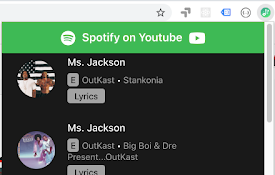
Enjoy saving your current Youtube video song into

Click&listen for Spotify
Search for songs and listen them in your browser.T

Rounded Tube
A minimal customizable modern YouTube theme.A mini

Spotify artist's all songs
As you know Spotify doesn't provide method to

Spotify Dynamic Theme Plus
Dynamic background with transparency and animation

Paradify - Youtube to Spotify
The easiest way to get a song from YouTube to Spot

Spotify Player+
Spotify Player+ | A simpler way to control your mu

Nice Playlist Generator
Makes Spotify playlists from rateyourmusic.com and

Chronicle for YouTube
YouTube playlists made simpleCreate and edit real