
HTML Minifier - Minify HTML Codes Chrome 插件, crx 扩展下载
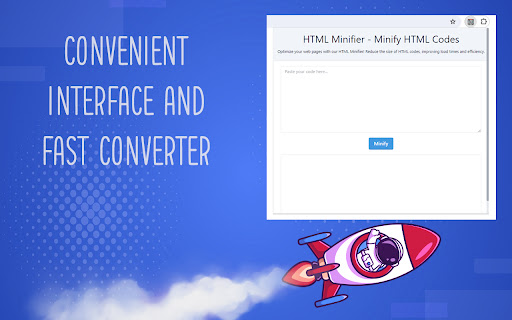
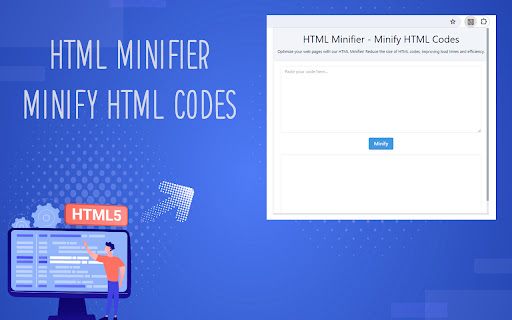
Optimize your web pages with our HTML Minifier! Reduce the size of HTML codes, improving load times and efficiency.
In the web development process, your site's speed and performance are vital to user experience. HTML Minifier - Minify HTML Codes extension allows you to improve page load times by compressing your HTML codes. Our extension is an indispensable assistant for web developers, designers and content managers.
Key Features of the Extension
Code Compression: It reduces data transfer and loading times by reducing your HTML codes to minimum size.
Performance Increase: Compressed codes make your site load faster, which improves user experience.
Ease of Use: The interface is simple and clear, code compression can be done with a few clicks.
The Importance of HTML Compression
HTML compression reduces the size of a web page, allowing it to load faster over the internet. The use of HTML minifier extension helps your site rank higher in search engine results because speed is an important ranking factor by search engines.
Usage areas
Websites: Ideal for corporate sites, e-commerce platforms and blogs.
Mobile Compatibility: Increases the performance of mobile compatible websites.
SEO Optimization: Improves web page speed for search engine optimization (SEO).
Why Should You Use HTML Minifier - Minify HTML Codes?
This extension allows you to improve the loading speed of your website with its html compressor and html optimizer features. A faster website leads to users staying on your site longer and lower abandonment rates, which increases the success of your site overall.
How to use this?
HTML Minifier - Minify HTML Codes extension, which is extremely simple to use, allows you to perform your operations in just a few steps:
1. Install the extension from the Chrome Web Store.
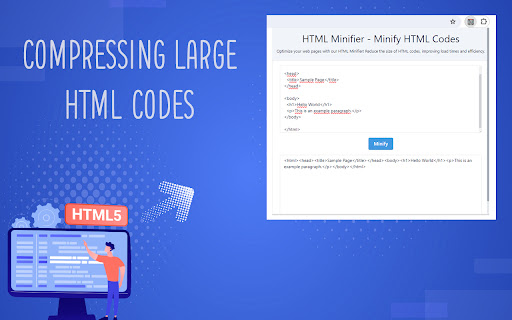
2. Enter all your HTML codes in the first box.
3. Click the "Minify" button and wait for the codes to be compressed. When the process is completed, you will see the compressed html codes in the second box.
HTML Minifier extension is an effective way to improve your website performance. By increasing the speed of your site with code compression, you can improve user experience and reach a better position in search engine rankings.
| 分类 | 🛠️工具 |
| 插件标识 | bpjlpmhhpnmfahapbjipnidhemfdgfei |
| 平台 | Chrome |
| 评分 |
★★★★☆
4.4
|
| 评分人数 | 8098 |
| 插件主页 | https://chromewebstore.google.com/detail/html-minifier-minify-html/bpjlpmhhpnmfahapbjipnidhemfdgfei |
| 版本号 | 1.0 |
| 大小 | 90.2KiB |
| 官网下载次数 | 135 |
| 下载地址 | |
| 更新时间 | 2024-03-26 00:00:00 |
CRX扩展文件安装方法
第1步: 打开Chrome浏览器的扩展程序
第2步:
在地址栏输入: chrome://extensions/
第3步: 开启右上角的【开发者模式】
第4步: 重启Chrome浏览器 (重要操作)
第5步: 重新打开扩展程序管理界面
第6步: 将下载的crx文件直接拖入页面完成安装
注意:请确保使用最新版本的Chrome浏览器
同类插件推荐

HTML Minifier - Minify HTML Codes
Optimize your web pages with our HTML Minifier! Re

Web Text Expander: Text Shortcuts & Snippets
Work smarter and type faster with text shortcuts!

HTML to Framer
Bring your own website into Framer with a few clic

視訊速度控制器 - 視訊管理器
HTML5 的視頻速度控制。 通過視頻播放和視頻控制、視頻控制器管理視頻速度。 視頻速度播放視頻速度